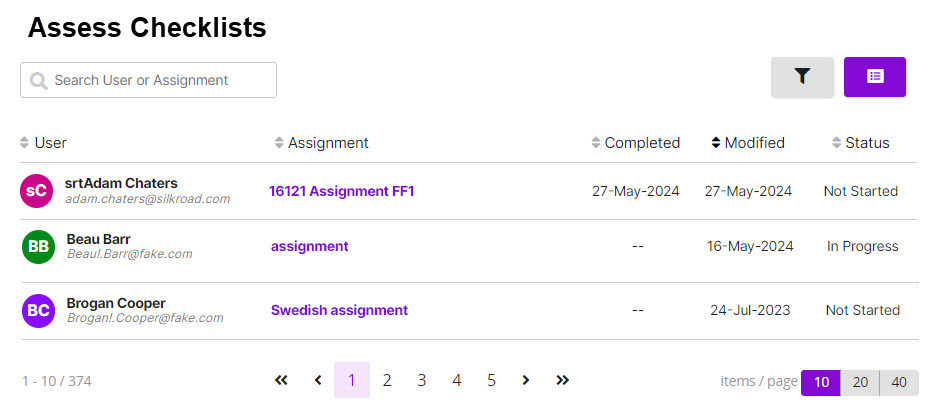
From the Student Portal navigation bar, click Assess Checklists. The Assess Checklists page opens. On the Assess Checklists page, you can:
View checklists you are responsible for assessing or have accessed
Open a checklist for a student and assess as the student performs checklist tasks
Assign a checklist to a student To access this page, your user ID must have the expert role assigned. If you are using Checklist Expert membership groups, you only see those checklists associated with that membership group. Searching and filtering
You can search by user or assignment.
Click to show/hide filters.
You can filter by status (All, Not Started, In Progress, Completed).
You can filter to show immediate subordinates or all subordinates.
You can sort by User, Assignment, Date Completed, Date Modified, and Status in either ascending or descending order.
Once set, filters remain set until you change them.
 On the Assess Checklists page, you can:
 to show/hide filters.
 .
.