You can only change status for a class (training event) in which you are the instructor.
You can change class status after you assess enrollments for all students in the class.
After you change class status, it cannot be reversed.
From the Student Portal navigation bar, click Assess Classes. The Assess Classes dashboard opens. Instructors can use this dashboard to:
View currently-scheduled classes and enrollments
Enter attendance and completion records for completed classes The dashboard is searchable (title, location) and can be filtered by start date. By default, classes shown go back one month but you can filter for a custom start date range. The Show Details link shows details, including a link to view classes sessions (if multiple sessions are offered.)
(If applicable) Search for a class and filter to limit the results.
For a class, click Assess.
Enter attendance records for all the students in the class.
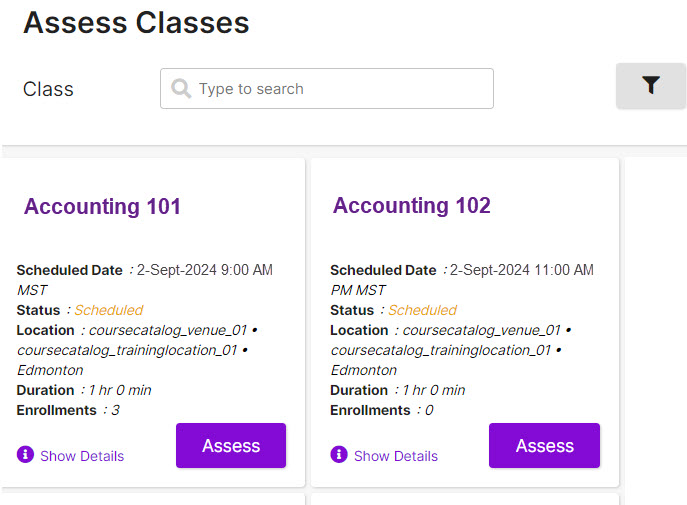 Instructors can use this dashboard to: