Training Details page
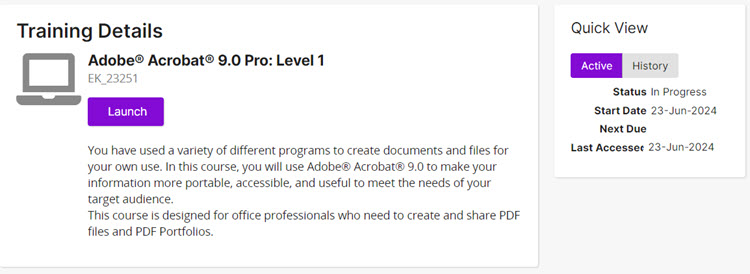
The Training Details page shows details about training you selected on the My Training page. Details shown vary based on training type (in-class course, online course, assignment, or competency).
Prerequisites panel
If training requires prerequisites, they appear in the Prerequisites panel. Prerequisites must be completed before you can launch online courses or assignments or enroll in in-class courses.
Quick View
Quick View shows the current status of your active training and details of any history you have with this training.
Buttons, links, and options
Launch
Launches an online course or assignment.
Enroll
Opens the Enroll window so you can enroll in an in-class course.
Schedule
For competencies, shows the in-class courses you can choose to enroll in.
Cancel Enrollment
Opens the Cancel window so you can cancel your enrollment in an in-class course.
Show Details
Expands to show in-class course details, including event type, location, address, directions, and notes.
Hide Details
Contracts (hides) in-class course details.