Course Catalog (calendar view)
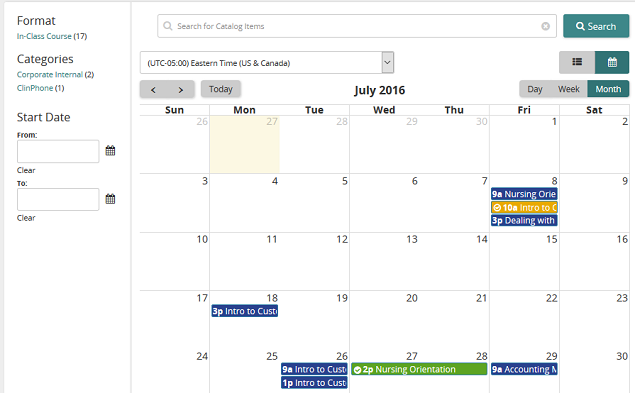
You can view the course catalog as a calendar by clicking  . The calendar view shows available in-class courses. You can quickly find courses to enroll in, view course details, and also determine if you are already enrolled. Hover your mouse over an item to see brief details, or click it to view in-depth details.
Color-coded items
| This color: | Means: |
|---|---|
| Blue | Class is available |
| Green | You are enrolled |
| Yellow | You are waitlisted |
Searching, sorting, and filtering
The search, sort, and filter options work the same here as in course catalog view.
Time zone
The time zone defaults to the company time zone setting. However, you can select a personal time zone so that scheduled events appear in the calendar relative to that selected time zone. Once set, the personal time zone remains--even after you log out--until you select another time zone. (Personal time zone is not a system-wide setting. It is a user setting that is specific to the user who selected it.)