Configure and publish a Fee Agency Job Details page
Note: This option is not available for internal career sites.
- From the Career Site List page, click
 beside a career site.
 - From the Career Site Settings page, click Fee AgencyJob Details Page. The Manage Fee Agency Job Details page opens.
- Click
 . The Configure Job Details page opens.
 - Select a language, name the form, and enter a description (description is internal only).
- Click to add fields to the page. The Configure Field page opens.
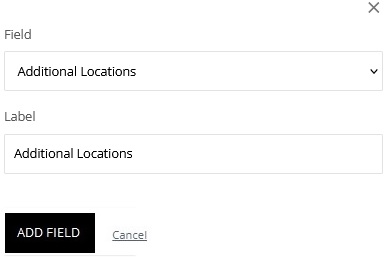
- From the Field list, select a field. The selectable fields come from Rival Recruit. You can also add Rich Text elements.
- Keep the label the same or enter a new field label. This is the label applicants see on the application form.
- (If applicable) Make the field required.
- Click Add Field.
- Repeat step 5 for each field you want to add.
- Hover on
 to access icons to perform actions like moving, editing, or deleting the field.
 - When finished configuring the page click Save.
- When you are ready for it to be available, click
 to publish.