Fee agency presubmission text overview
Fee agency presubmission text provides important information to fee agencies when they submit a resume. Text likely includes submission instructions, what the process is, and so on.
Here is a sample:
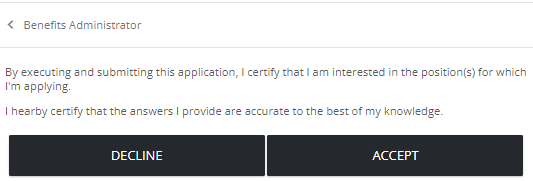
Key info
- Fee agency presubmission text is saved as draft until you publish it.
- You can only have one live fee agency presubmission text page per locale.
Good to know
- Draft fee agency presubmission text can be edited. Published (live) and archived fee agency presubmission text cannot be edited.
- You can clone an existing live and archived page, make edits, and then publish to replace live version. (Click
 to view, then clone.)
  (add),
  (edit),
  (clone draft),
  (publish),
  (delete draft), (view live, archived),
  (archive)
- Archiving a live page returns this page to the default, which is no fee agency presubmission text.
Settings
Language
The language for the fee agency presubmission text. The default portal language is the default. If you have more languages enabled, you can select one here.
Name
Enter a name to identify the fee agency presubmission text. The name only appears internally to help you identify it on the Manage Fee Agency Presubmission Text page. Fee agencies do not see this.
Description
Enter a description. This only appears internally to identify the text. Fee agencies do not see this.
Presubmission Text
Enter text. Format as you like. Insert links if you want.