Include company location on a job posting
You can include company location on a job posting. You do this by including the Company Location field on the Job Details page.
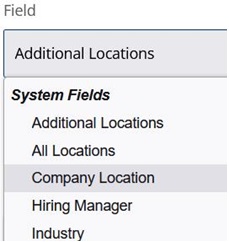
Remember that you can change the Company Location label to anything you want. For example, you may want to change the label to Branch Name and that is what appears to applicants when they apply on your career site.
When this field is added to the Job Details page, it displays the Location Name and the Code of the Company Location that were selected for the job posting. Those name and codes are what was entered for the location on the Company Locations page in Rival Recruit.