Open submission forms
Note: This option is not available for internal career sites.
Open submission allows an applicant to upload a resume/CV that is not associated to a specific job posting.
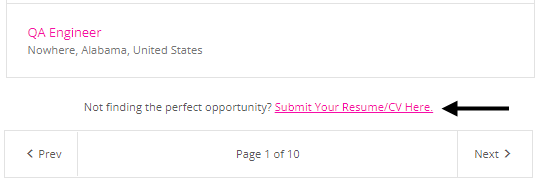
When open submission is enabled, applicants see this link on the Job List page: Not finding the perfect opportunity? Submit your Resume/CV.
There are two types of open submission forms.
| Type | Description |
|---|---|
| Quick Apply | A pre-defined, one page form that prompts for applicant first name, last name, email, and resume/CV. This is the default open submission form. It is used if there is no published configured open submission form. |
| Configured application | A custom open submission form that you configure. You can configure:
|
Good to know
- Default fields (First Name, Last Name, Email Address, and Resume/CV) cannot be removed from the application form but can be moved to other pages.
- A form is in draft status until you publish it. A published form is live.
- You can only edit a form while it is in draft status.
- You can clone existing live and archived pages, make edits, and then publish to replace live version. (Click
 to view, then clone.)
  (add),
  (edit),
  (clone draft),
  (publish),
  (delete draft), (view live, archived)