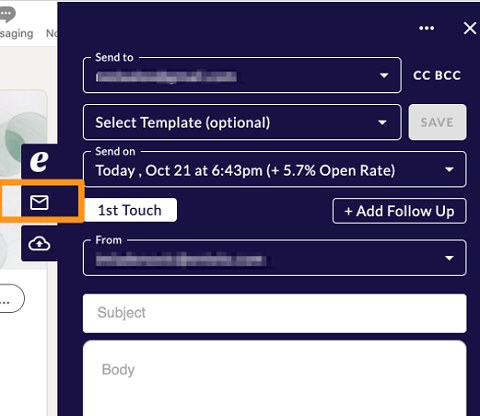
Chrome Extension "Message Candidate"
The Messaging tab will provide you with almost all the features that the Rival Search web platform has.
On the top of the section, you will have the recipient's e-mail address, under which you will be able to enter a CC and/or BCC e-mail address.
You will have the option to select one of the templates you have in the system, the sending date and time and you will also have the option to add as many follow-ups as necessary.
Below that, you will have the sender's e-mail address displayed and you will be able to enter the subject and the body of the e-mail, where you will also have multiple options for text editing.
To send the communication, you should click on "Email Candidate" at the bottom of the extension.