Using the Diversity filter
The Diversity filter allows companies of all sizes to reap the benefits of building diverse teams. It is available on the Search Builder under the Advanced filter section. The Diversity filter allows you to find candidates from underrepresented groups based on gender, ethnicity, and veteran status.
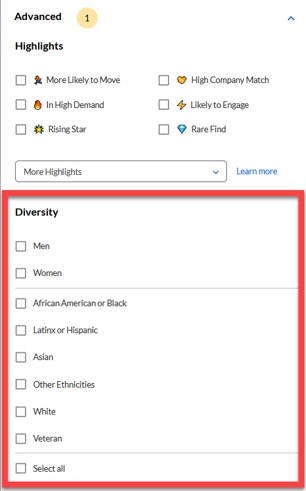
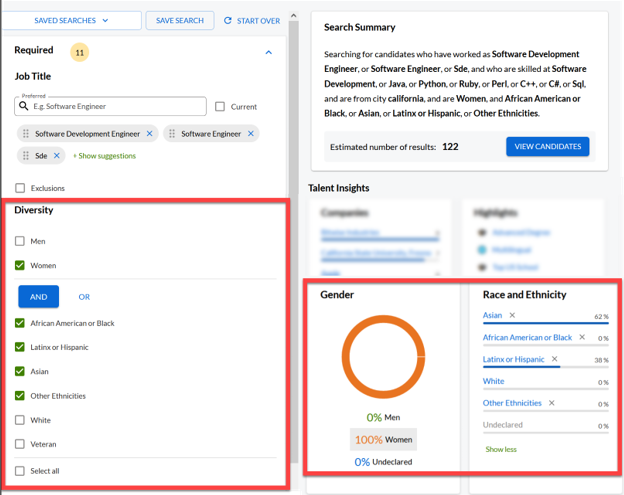
Place a checkmark in one or more boxes to filter the selected group(s). When selecting multiple boxes, the AND box appears. For example: selecting Women, African American or Black, Latinx or Hispanic, Asian, and Other Ethnicities only shows profiles within those diverse criterion.
Refer to the Search Summary box to view the written criteria that includes the diversity information you included. Once you view the candidate results, the talent pool insights provides gender, race and ethnicity charts where you can view specific data on the fly or dig deeper if you want.
Note: When selecting the location Everywhere AND women, the system disables all diversity filters except for women for EU search-based locations due to EU General Data Protection Regulation (GDPR) compliance.