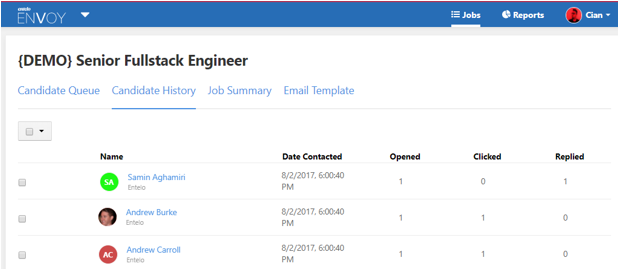
Viewing your Candidate History
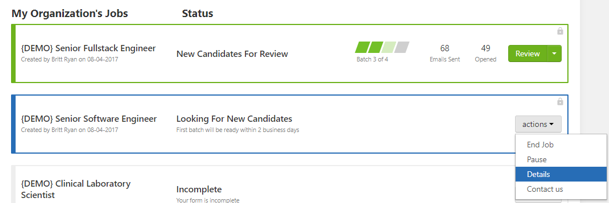
To view the candidates that have already been contacted through Envoy first click review on an active job or details on any other job.
Then click on the candidate history tab and you will be able to see candidates that you have previously contacted as well as if they have opened, clicked or replied to your email. You can also add candidates to a list or export them to your ATS, PDF or CSV by selecting the checkbox to the right of each candidate and using the options that appear at the top of the list.