Troubleshooting Chrome extension issues
If you are experiencing issues with the Chrome extension, delete and reinstall the extension.
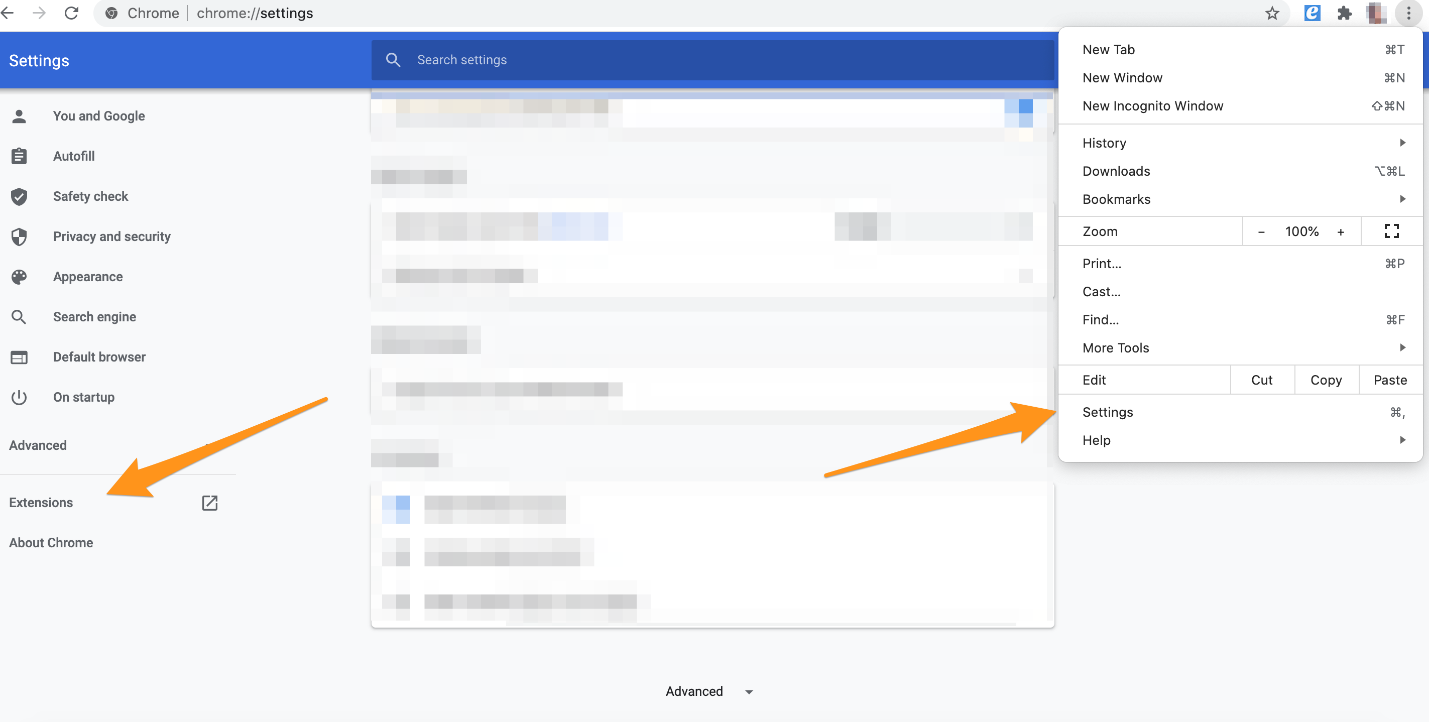
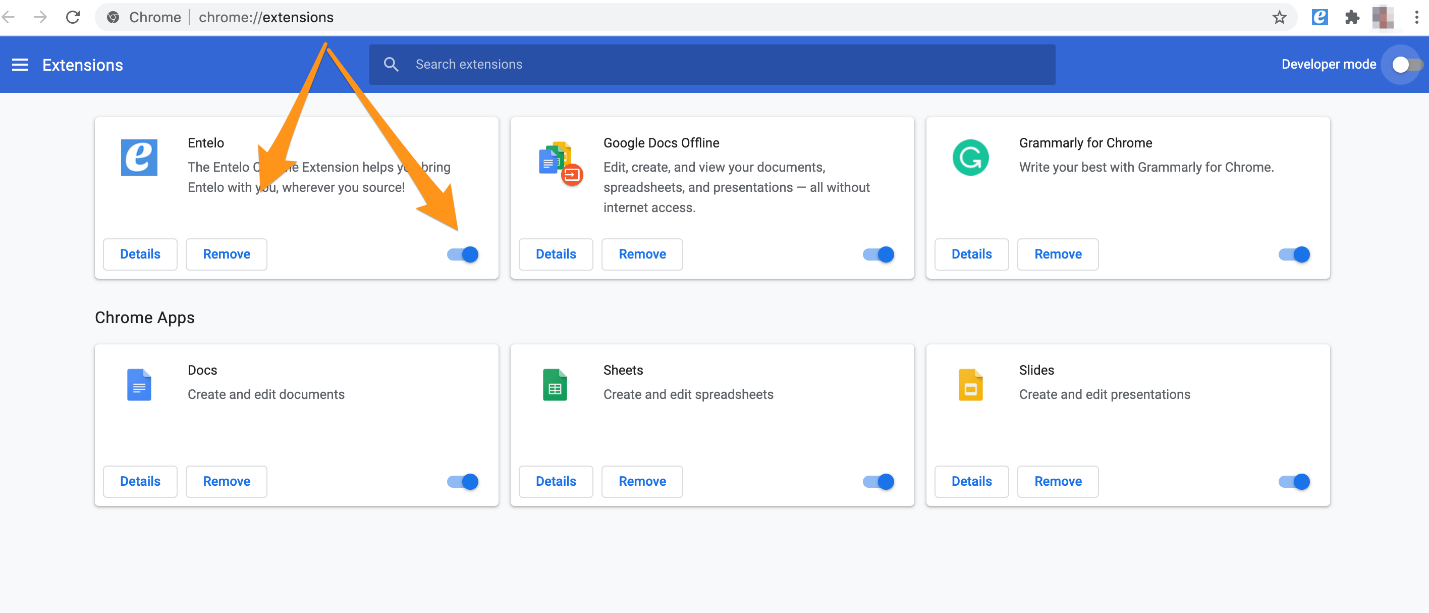
To Delete the extension: Go to your Google Chrome settings > Select Extensions > Scroll to The Rival Search Button > click the trash can icon to delete
To Reinstall: Download directly from the Chrome store using this link.