Outreach Insights
Outreach Insights distill down the analysis of millions of recruiting emails sent through the Rival Search platform over time to provide actionable advice on email optimization, right from within the email composition module.
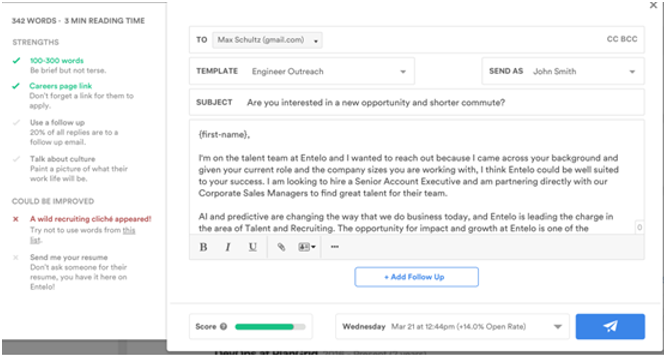
- Begin typing, then click Message Score to see suggestions for your email. The optimization window provides a checklist of tasks recommended for incorporation prior to email sending.
- You’ll see check marks highlight in real time as edits are incorporated and tasks are completed.
- Check your Message Score before sending. The Message Score is the ultimate indicator of the strength of your outreach. The system analyzes the content of your email, your scheduled send time, total word count, follow up messages, and the relationship between sender and recipient to assign an overall quality score. The higher your Message Score, the better your chance at a reply.
Learn more about email best practices here.