Rival Help CenterConveyIQ

Deleting Cookies for ConveyIQ - Google Chrome

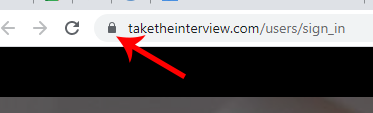
  1. On the ConveyIQ/TakeTheInterview Website, at the top left of your URL Bar, click the Lock buttonpadlock icon The Chrome address bar with a red arrow pointing to the padlock icon before the web address
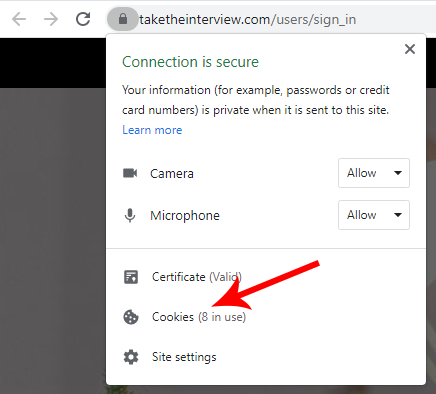
  2. After clicking the lock button, a box should appear, click Cookies. The Chrome site information box with a red arrow pointing to the Cookies option
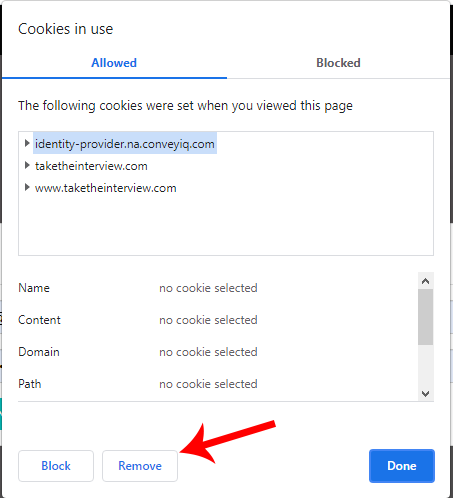
  3. After clicking Cookies, a box should appear, clickRemove until all of the cookies are gone from the list. The Cookies in use box listing three cookie sources, with a red arrow pointing to the Remove button
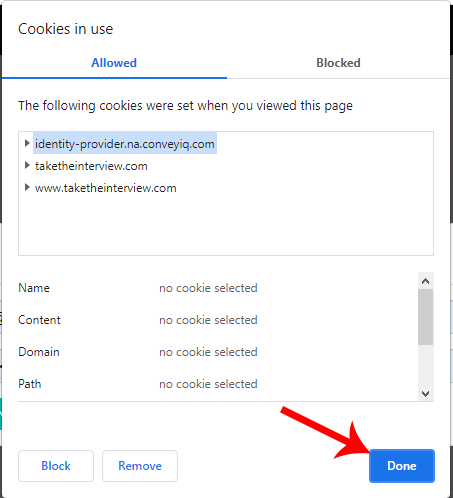
  4. ClickDone.

The Cookies in use box with a red arrow pointing to the Done button