Trackable links
Are you ready to learn about our Trackable Links? I hope you are!
In this article, you will learn about trackable links that are sent using Communications. With this feature, you can add additional labels to the links and track the clicks made on these links through the communication that is sent using ConveyIQ Journeys. In case you are wondering what Journey is, you can watch a video about it in our Academy: How to Set Up a Journey.
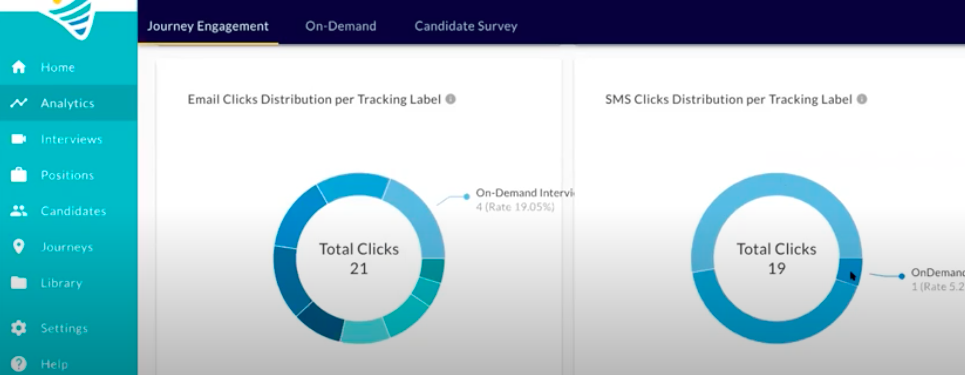
Trackable links are added in Email and SMS editors and the statistics of Trackable links will show on the Analytics page.
Are you ready to see how Trackable Links work? Let’s go!
LOGO WITH A TRACKABLE LINK IN EMAIL EDITOR
Let’s start with a Logo. You can add a trackable link in the logo in the emails that are sent out and you can track how many times someone clicked on the logo in the email. You can add a logo in the Email editor and click on "Edit Link".
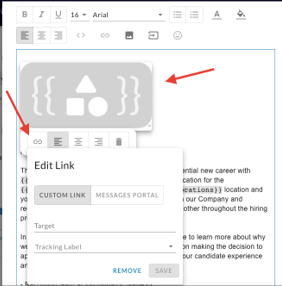
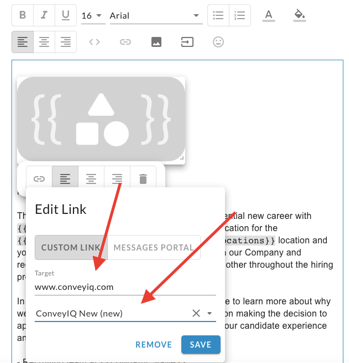
Once you have clicked on "Edit Link" you input the link that a logo will lead to and you can add a label. You can add an already pre-made label or you can input a new label and click "Enter".
BUTTON WITH A TRACKABLE LINK IN EMAIL EDITOR
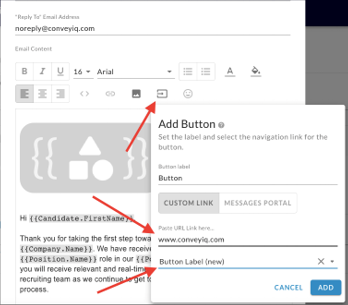
You can also create a button with a Trackable link. You would click on the "Button" option after which you would name the button, add a link where the button will lead to, and create or add a pre-existing label to track how many times someone has clicked on the button.
HYPERLINKED TEXT WITH A TRACKABLE LINK IN EMAIL EDITOR
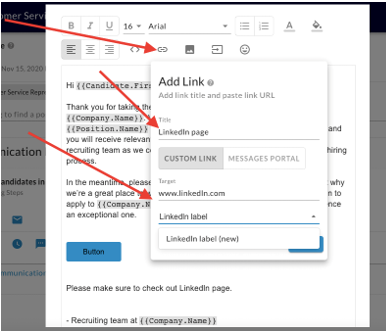
You can also add a trackable link in a hyperlink text. After you have selected the text, you would like to hyperlink and click on the "Hyperlink" option, you can input the website that the hyperlink will lead to along with a label to track clicks using this hyperlink.
REMOVING LABEL
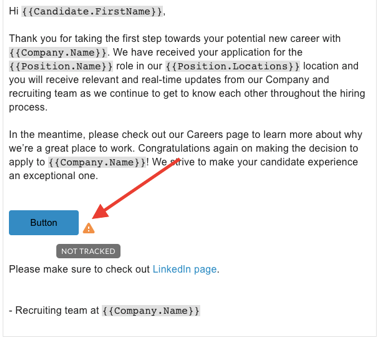
If you remove the label from any trackable links, you will get a warning sign that the link is not being tracked. Here is how it looks like:
TRACKABLE LINK IN SMS EDITOR
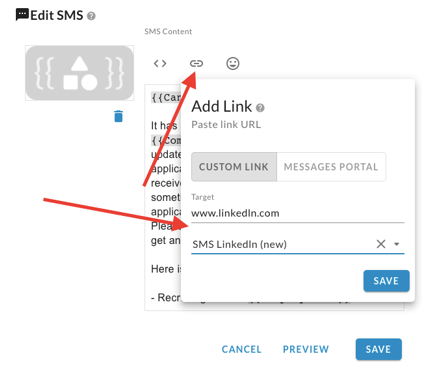
You can also add a trackable link in the SMS Editor by clicking on the "Link" option, inputting the link and tracking label. However, please note that any links you add, a full link will be shown.
TRACKABLE LINKS IN ANALYTICS
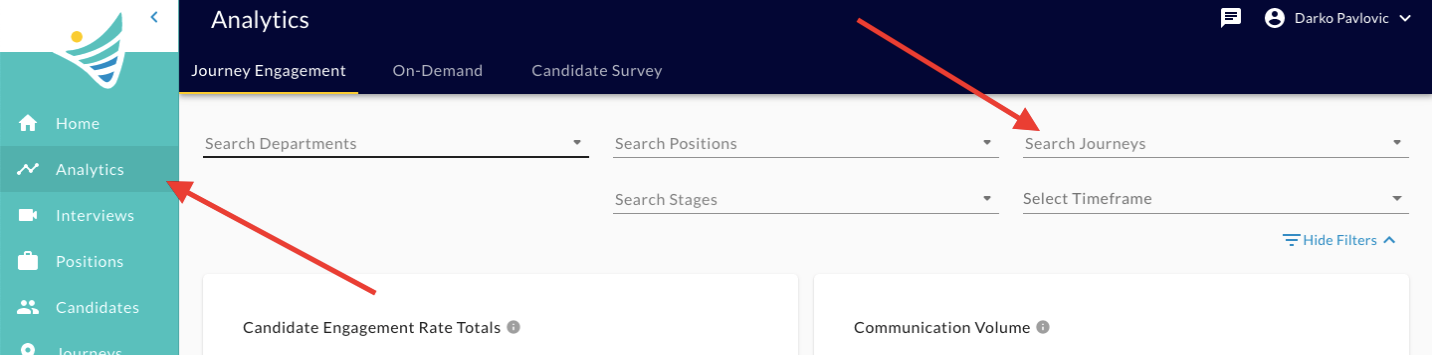
On the Analytics page, you can select a Journey that you in which you would like to track the clicks on your trackable links.
Below you can see the data from Email and SMS. Here is how it looks like:
And that is it! I hope this was helpful!
Best of luck using Trackable Links!