Rival Help CenterConveyIQ

Sending On-Demand Interview Links to Candidates

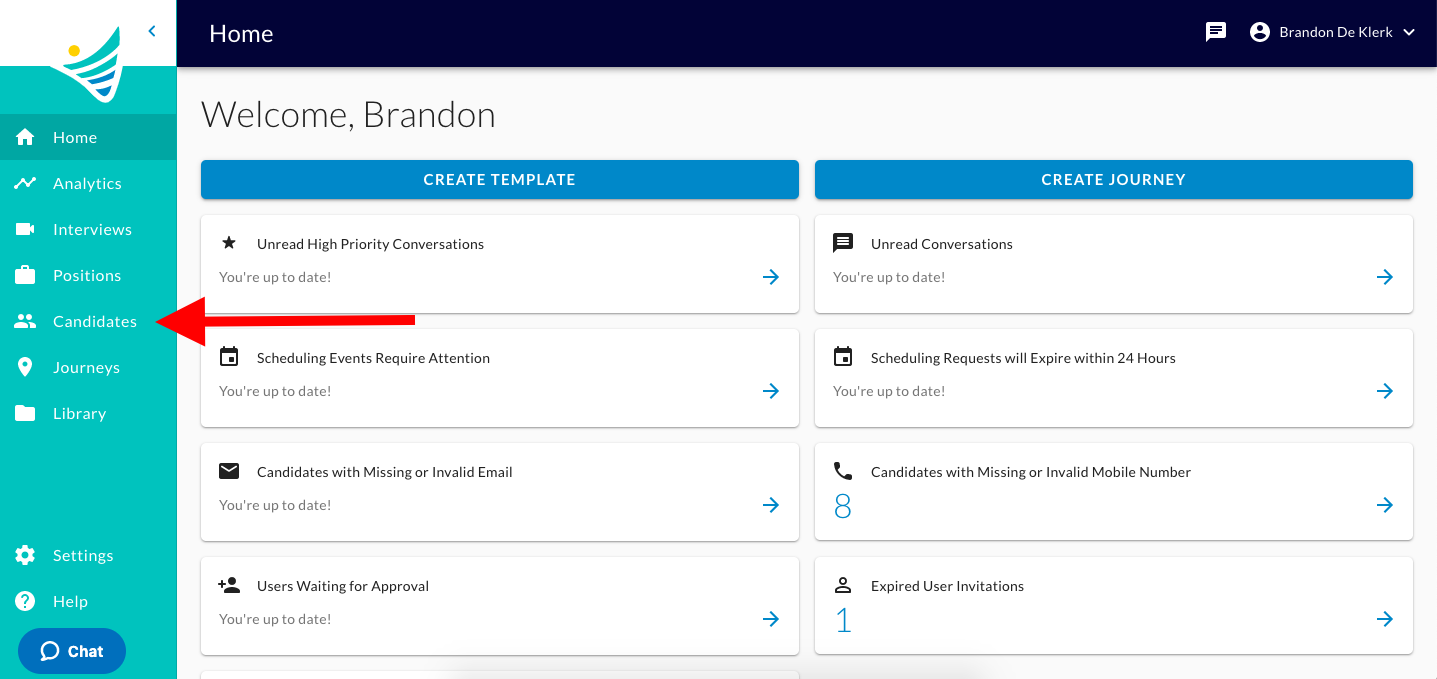
  1. You will start by clicking the "Candidates" button on the left-hand side of the screen. The ConveyIQ Home page with a red arrow pointing to Candidates in the left menu
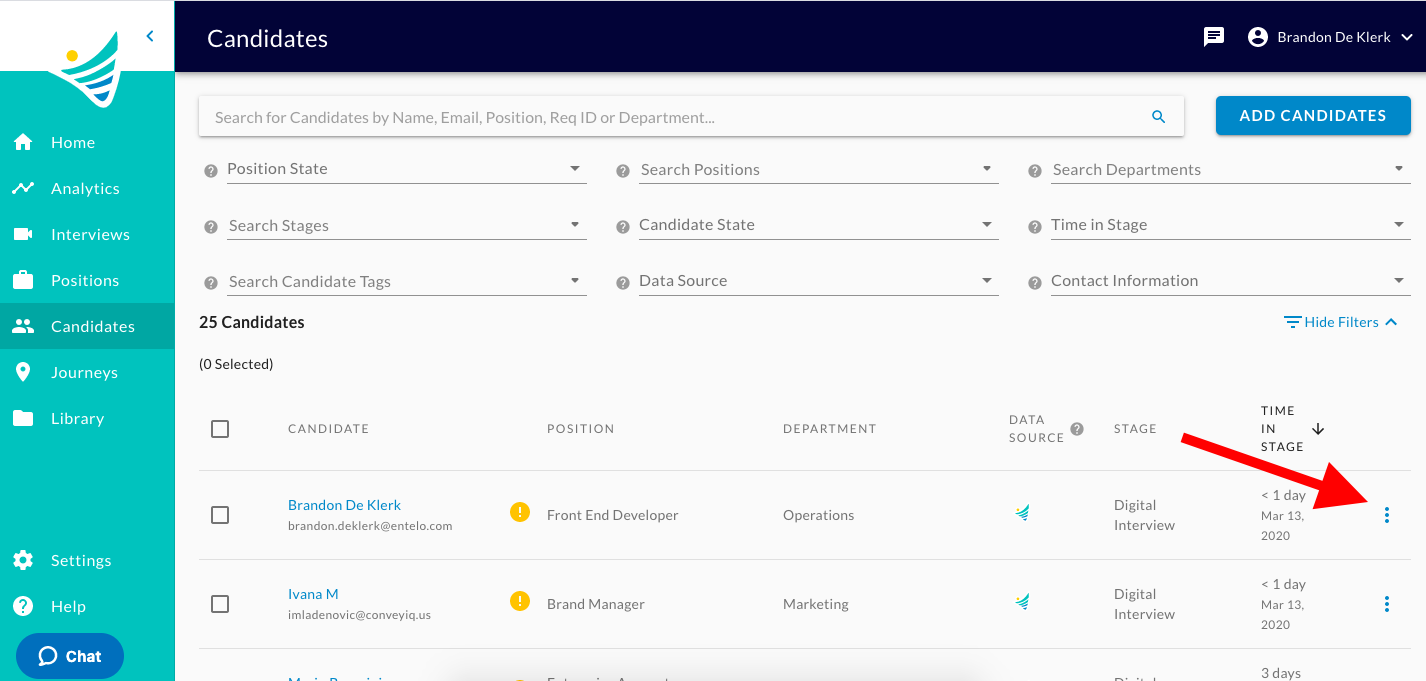
  2. Click the 3 vertical dots next to the Candidate's name. The Candidates list with a red arrow pointing to the three-dot menu on a candidate row
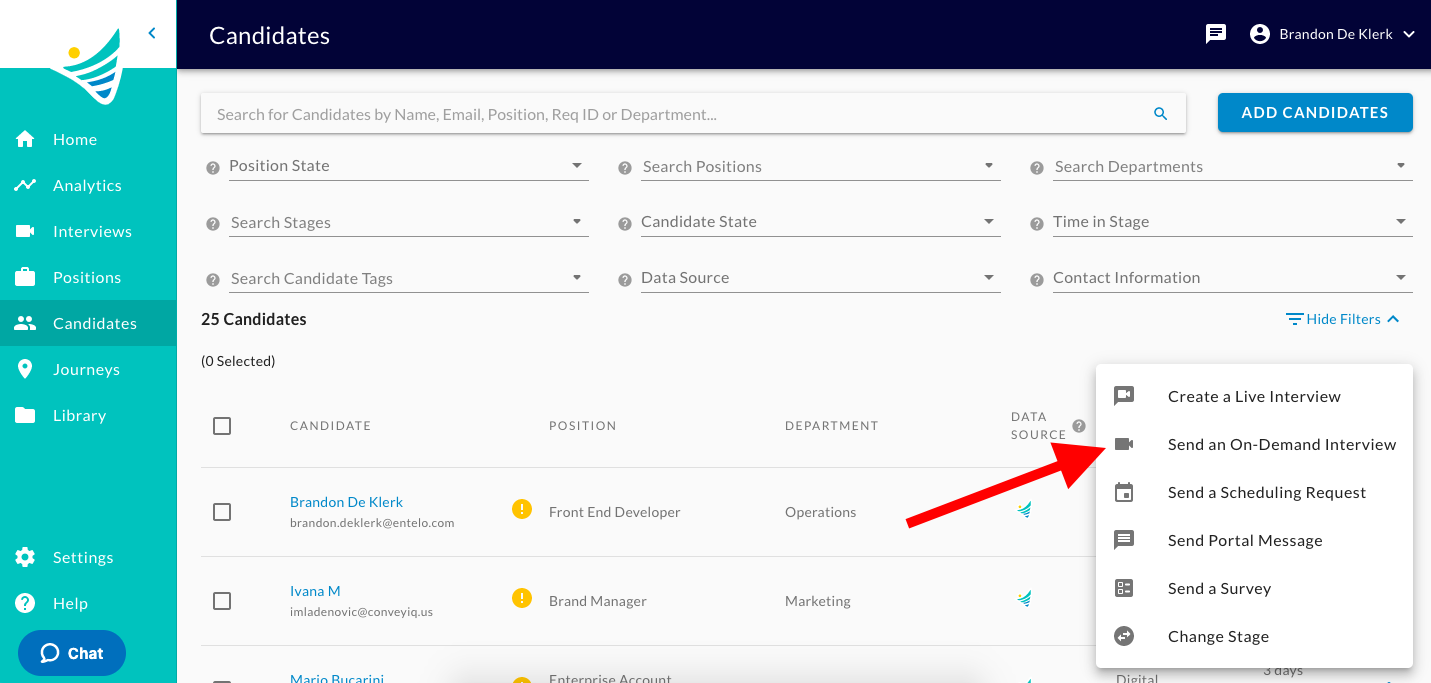
  3. Click the "Send an On-Demand Interview" option. The Candidates page with the actions menu open and an arrow pointing to Send an On-Demand Interview
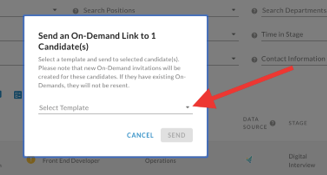
  4. Select a template. The Send an On-Demand Link dialog with an arrow pointing to the Select Template dropdown
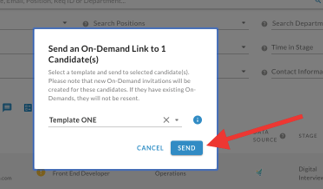
  5. Click the "Send" button. The Send an On-Demand Link dialog with Template ONE selected and an arrow pointing to the Send button

You have now successfully sent an On-Demand Interview link to a candidate!