How to Perform Bulk Actions with On-Demand Interviews
You can perform the following actions for On-Demand interviews:
- Send the candidate a link to take the interview again. You can use this action when a candidate's video is not viewable due to technical issues.
- Share the interview with your colleagues and have them review and provide feedback on the candidate.
- Uncheck as Reviewed orCheck as Reviewed.
Resend Invitations
- Please Note: You can resend the invitation only for interviews that have not been completed or started.
- If you need to take bulk action here, you should enter your selection criteria specifically with the Progress State filtered to ‘Invited Interviews’.
- After you have entered all the criteria, select the candidates from the available pool and click on the blue envelope icon to ‘Resend Invitation’
Share Completed Interviews
- You can share only the interviews that have been completed.
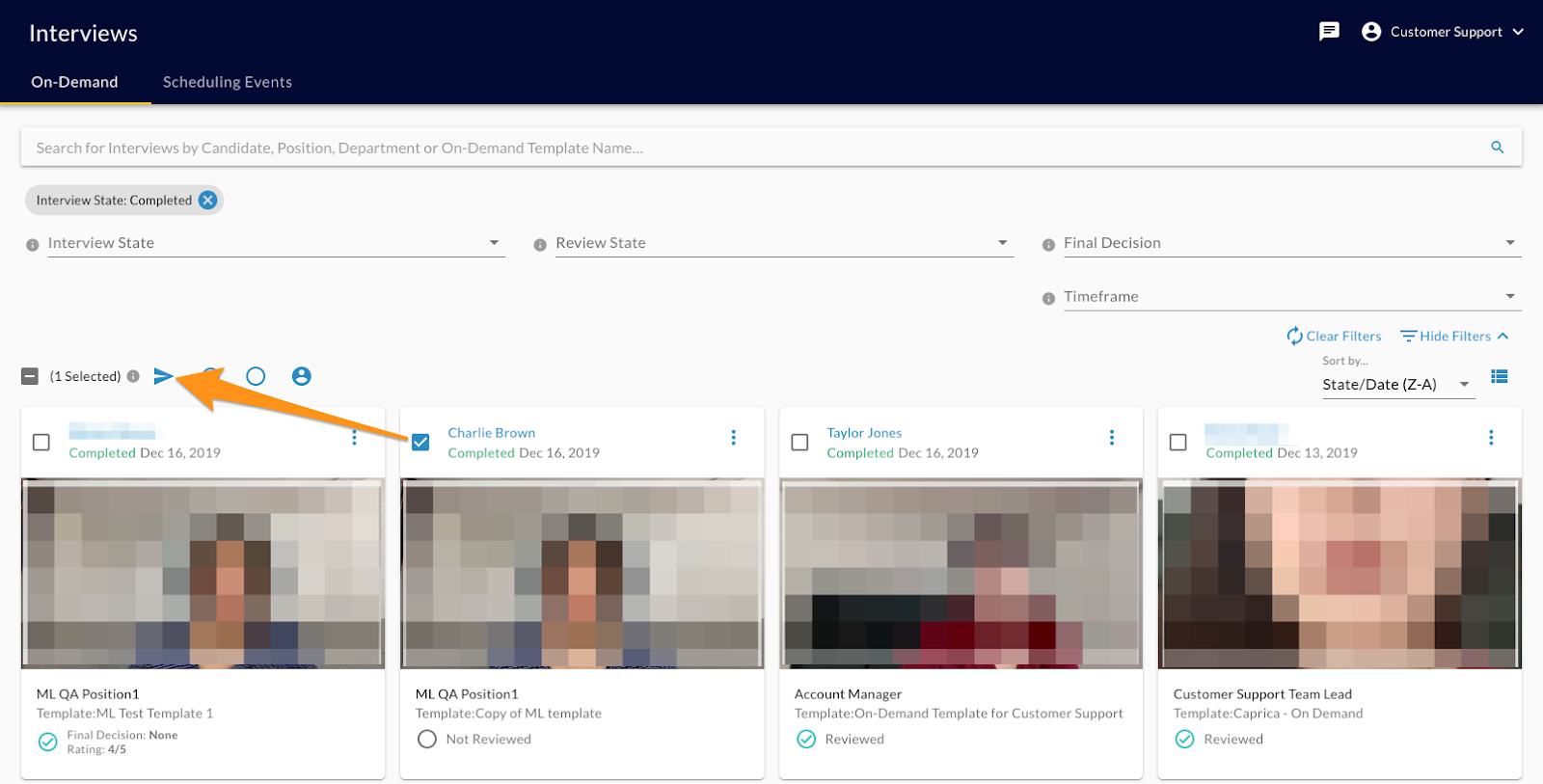
- If you need to take bulk action here, please enter your selection criteria specifically with the Progress State filtered to ‘Completed Interviews’.
- After you have entered all the criteria, select the candidates from the available pool and click on the blue arrow icon to share.
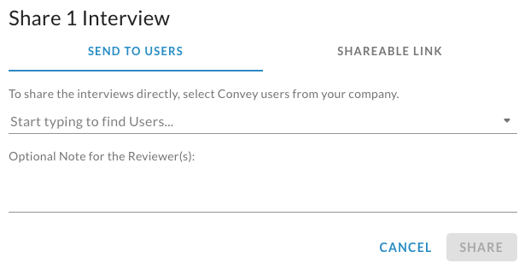
- After clicking the icon to share, you can select a list of one or more reviewers to share the interviews with. You can select only the users that have been added to the system via Settings.
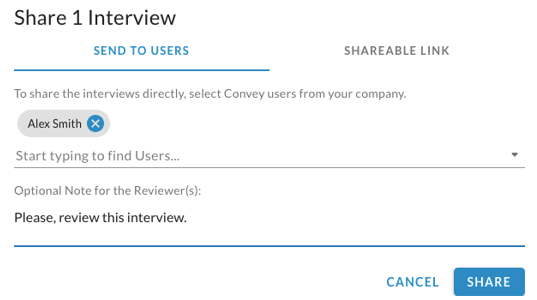
- You can add a note with any pertinent information. Then click ‘SHARE’
Mark Reviewed or Unmark Reviewed
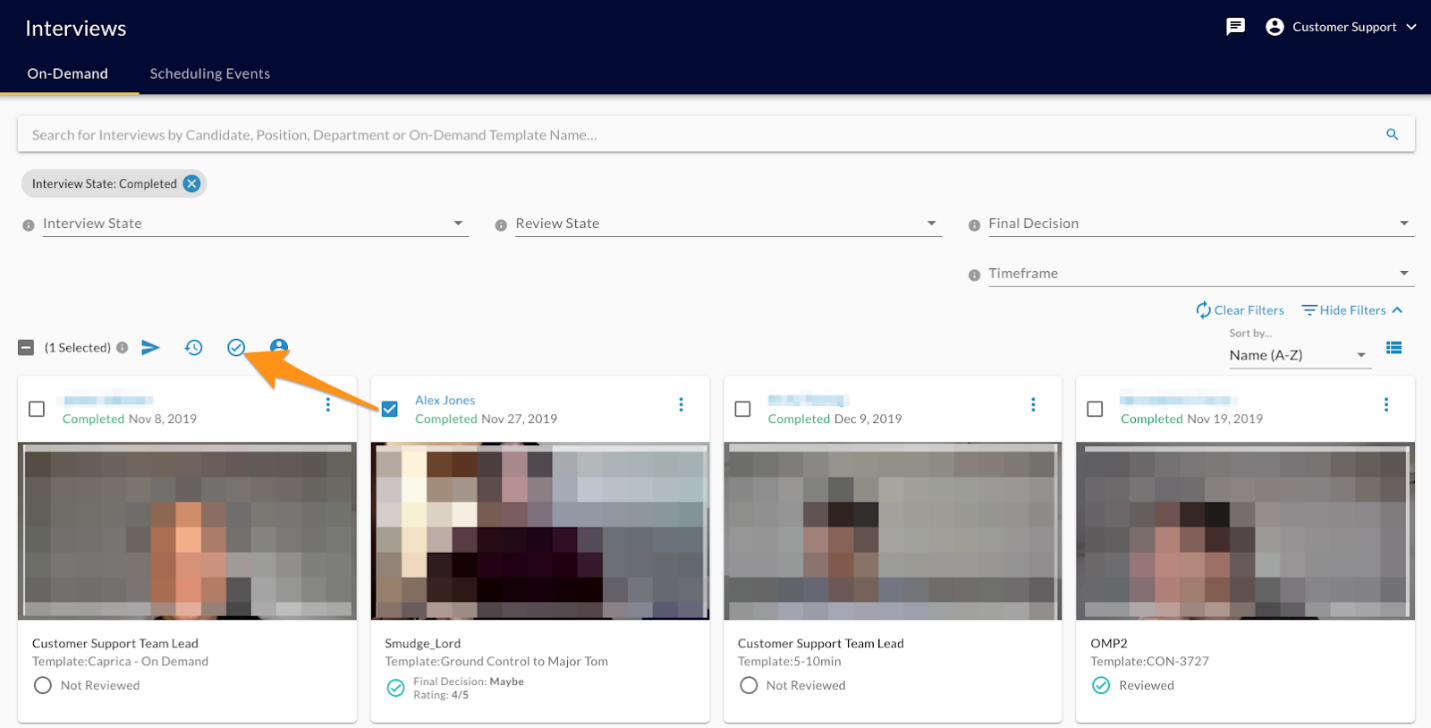
- After selecting the interviews that you wish to mark reviewed, click on the open circle icon.
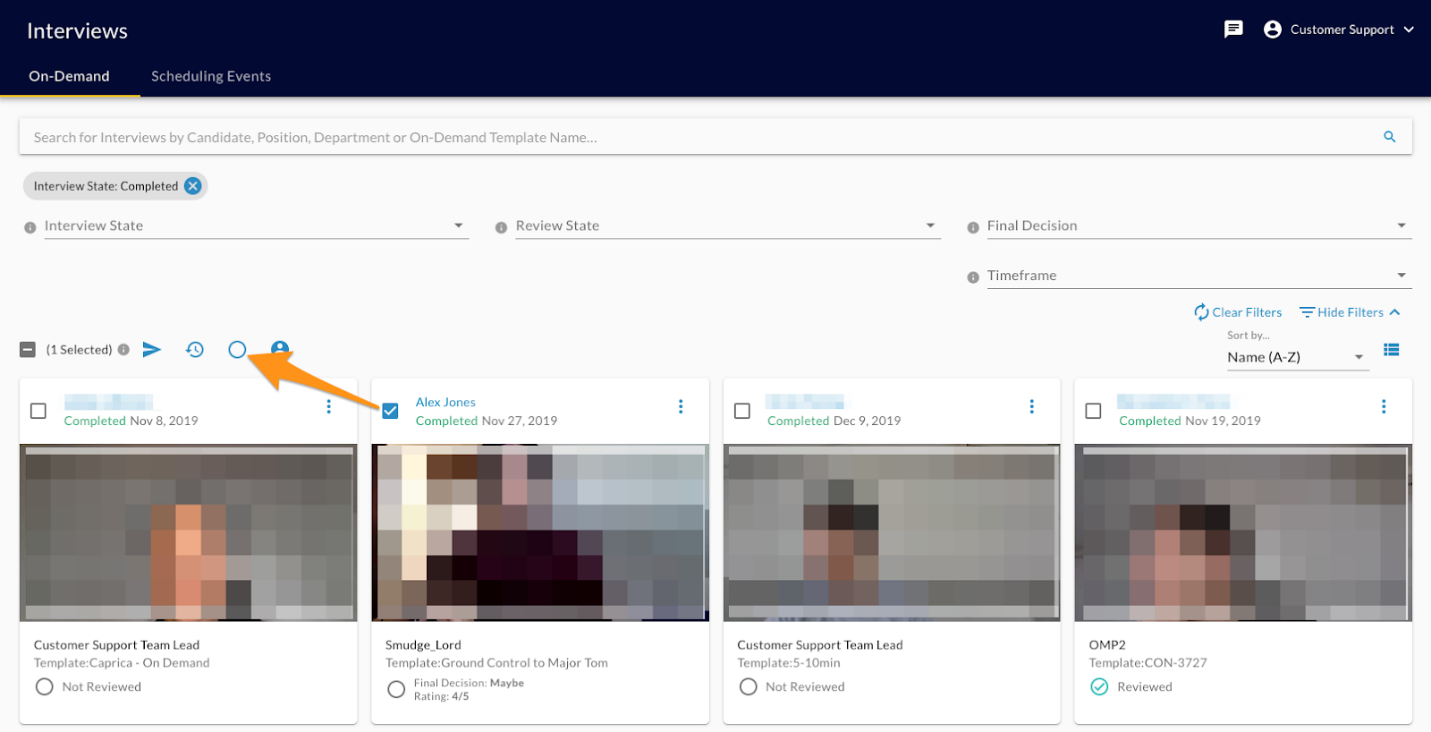
- After selecting the interviews that you wish to unmark reviewed, click on the circle with a checkmark icon.