How to Communicate with Candidates
ConveyIQ by Entelo gives you the ability to have 2-way email and text communications with candidates.
The Chat Portal is also the place where all the communications sent to the candidate from Convey, are listed in chronological order. The Chat Component is usable and visible across different parts of the ConveyIQ application (please see below). Text and Email communications with candidates will be received through their personal cell phone or email address.
The conversation threads are based on Job Application (aka Position), not per candidate. So if the candidate has two or more job applications for the same company, they will have separate conversation threads in a separate chat portal. The Messages Portal Application is based per client, it will list all the candidate's job applications for the same company.
How can your candidates access the Messages Portal Application?
The candidate needs a dedicated link to access the Messages Portal Application that lists all the Job Applications the candidate has for the one Company.
In case the candidate has multiple job applications, they will need two links to access the Messages Portal Applications separately.
How do candidates get the link?
Every time a candidate replies via SMS to an SMS received from Convey (thorough Journey e.g.), they will receive back an automatic SMS reply from our system with the link to the Messages Portal Application:
System SMS hardcoded content:
"Thanks for reaching out, but our recruiting team does not monitor responses on this number. Please click here {http://} and continue the conversation with your recruiting team through our messaging portal."
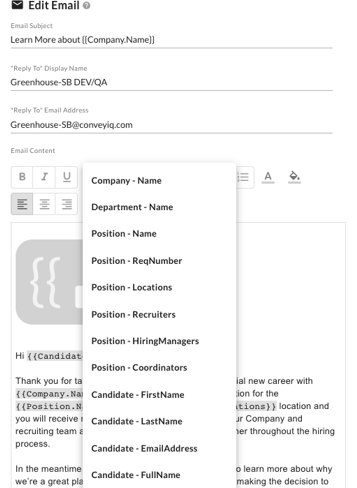
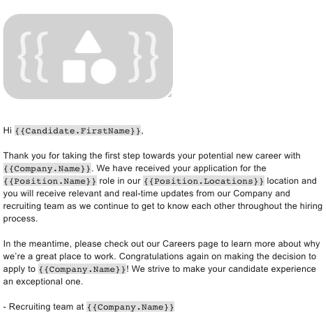
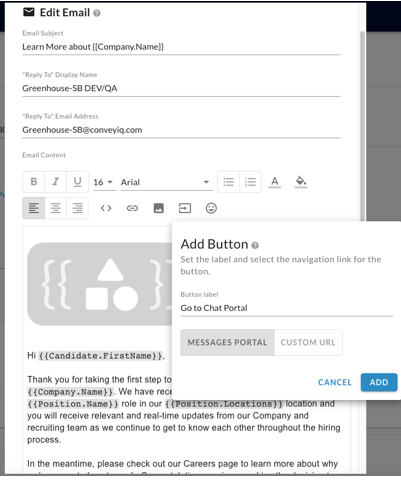
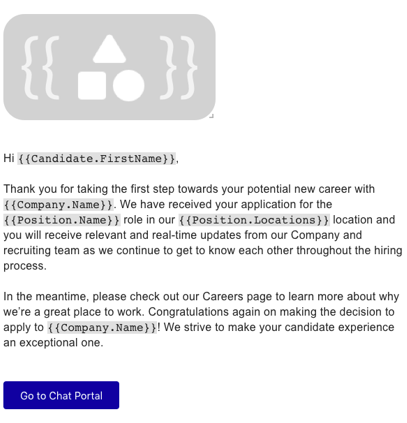
Recruiters can include the {{JobApplication.PortalLink}} merge filed or CTA in any communication (email or SMS) created for candidates. The merge filed and CTA is available in the existing Email and SMS editors:
Example of Merge Filed:
Example of CTA:
From where can your Recruiters access the chat portal?
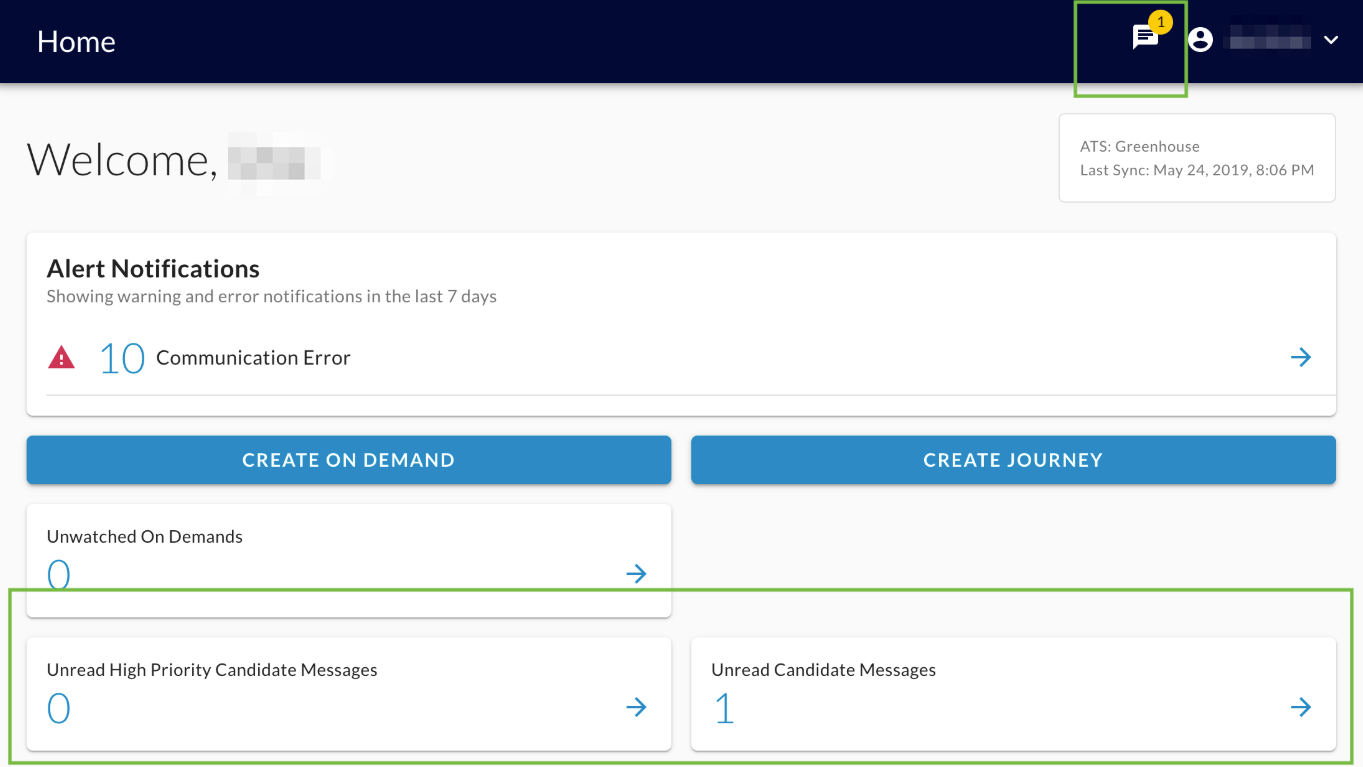
- HOME PAGE: Two cards list the number of unread messages coming from candidates
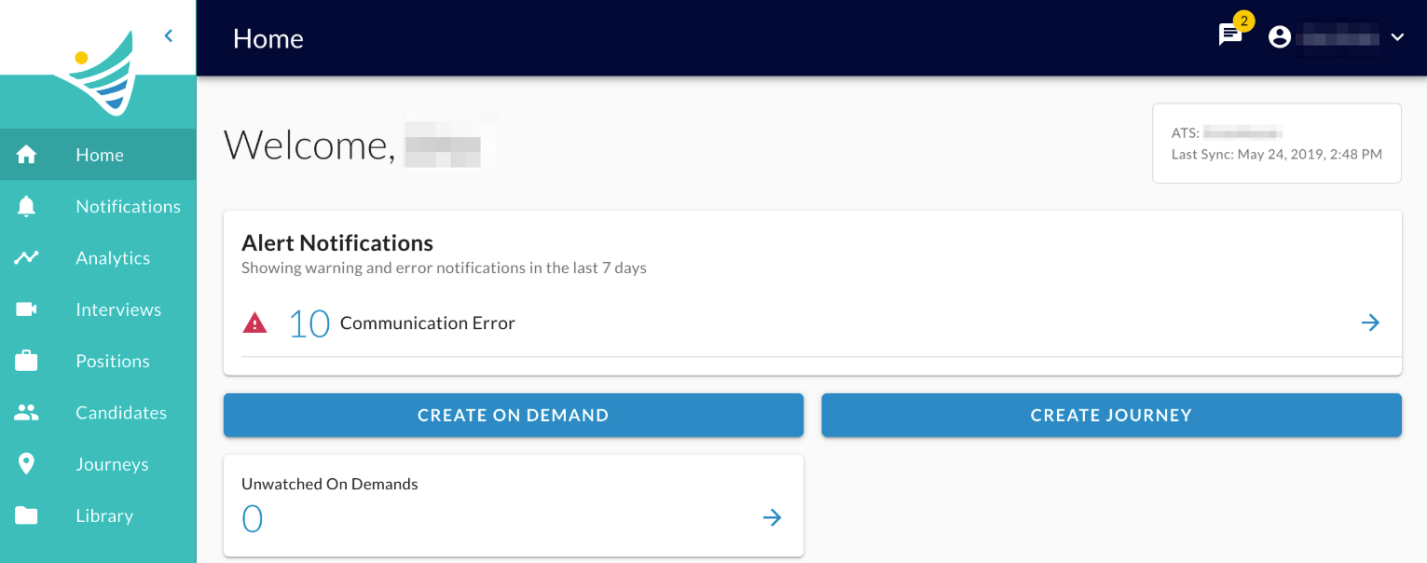
- Unread High Priority Candidate Messages- Leads toCandidate Messages pool page filtered by 'State: Unread Messages' and 'Priority: High Priority'.
- Unread Candidate Messages-Leads toCandidate Messages pool page filteredby 'State: Unread Messages'.
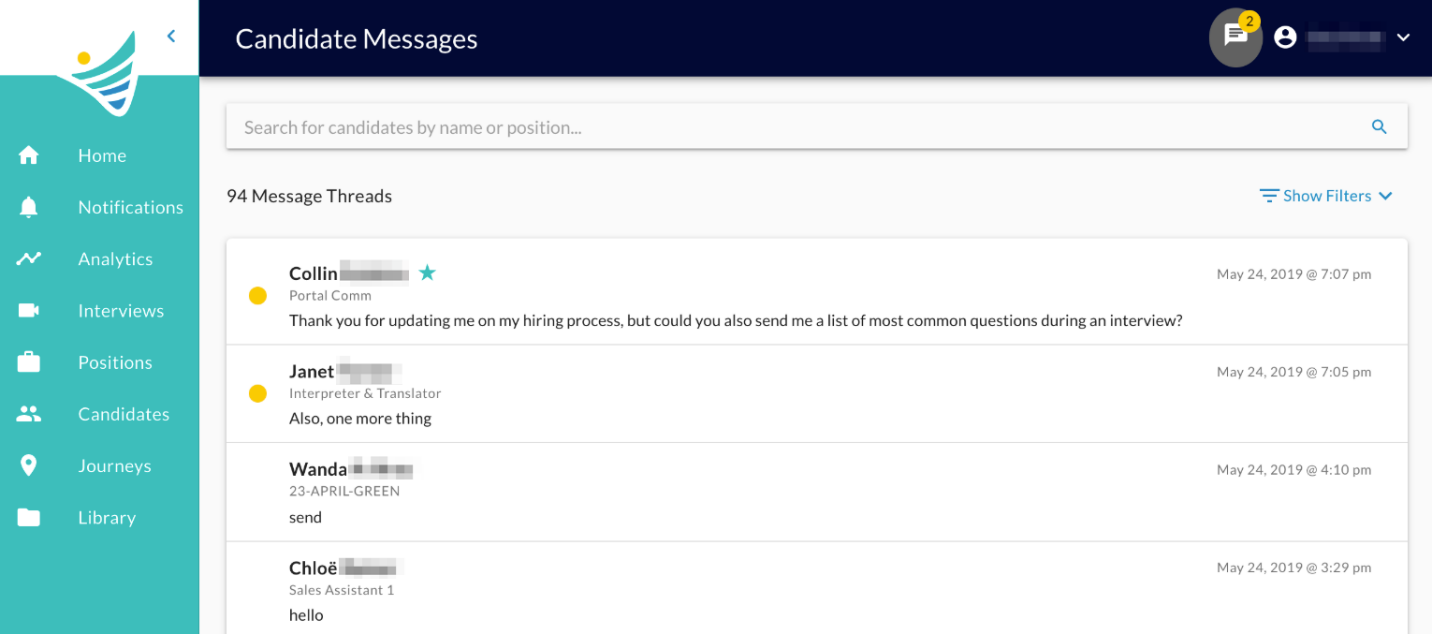
- Candidate Messages Page:By clicking the icon in the header, the user lands on the Candidate Messages page.
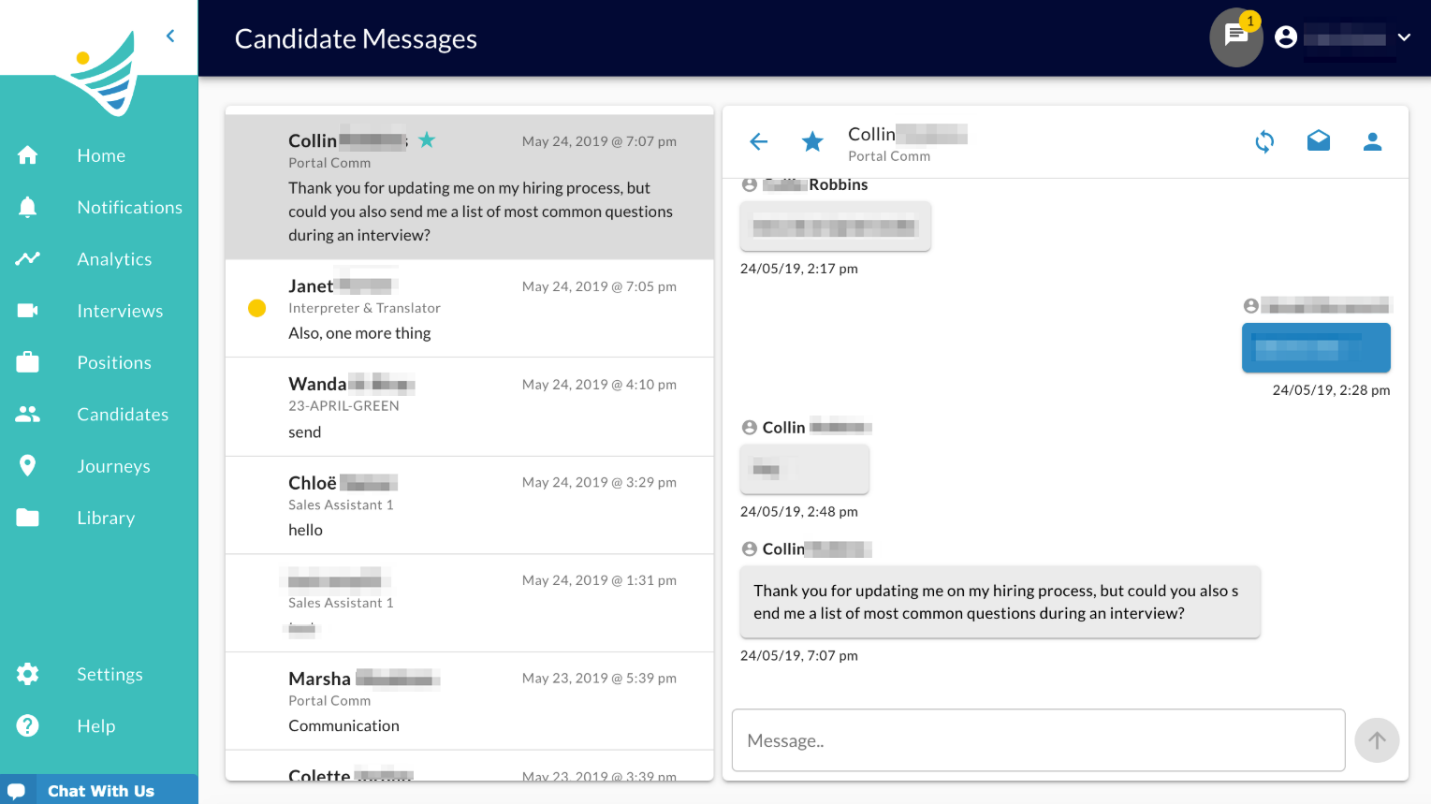
- Candidate Profile Page: The Candidate Profile page displays the Chat Component for every selected position/job application for the particular Candidate.For more information on the options on this page go toCandidate Profile.
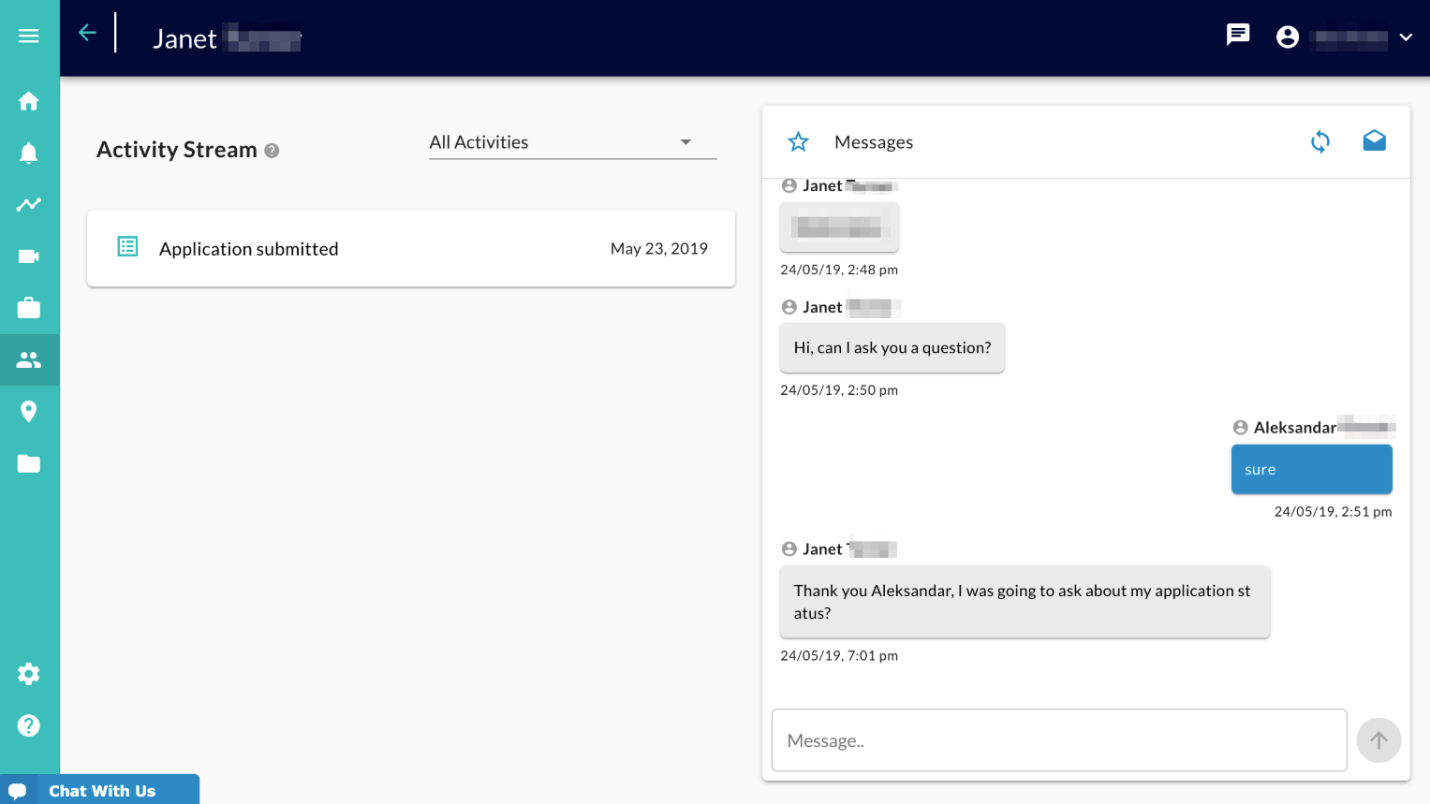
What if no communications or messages have been sent to the candidate yet?
The recruiters will still be able to initiate the conversation from the Chat on the Candidate Profile page:
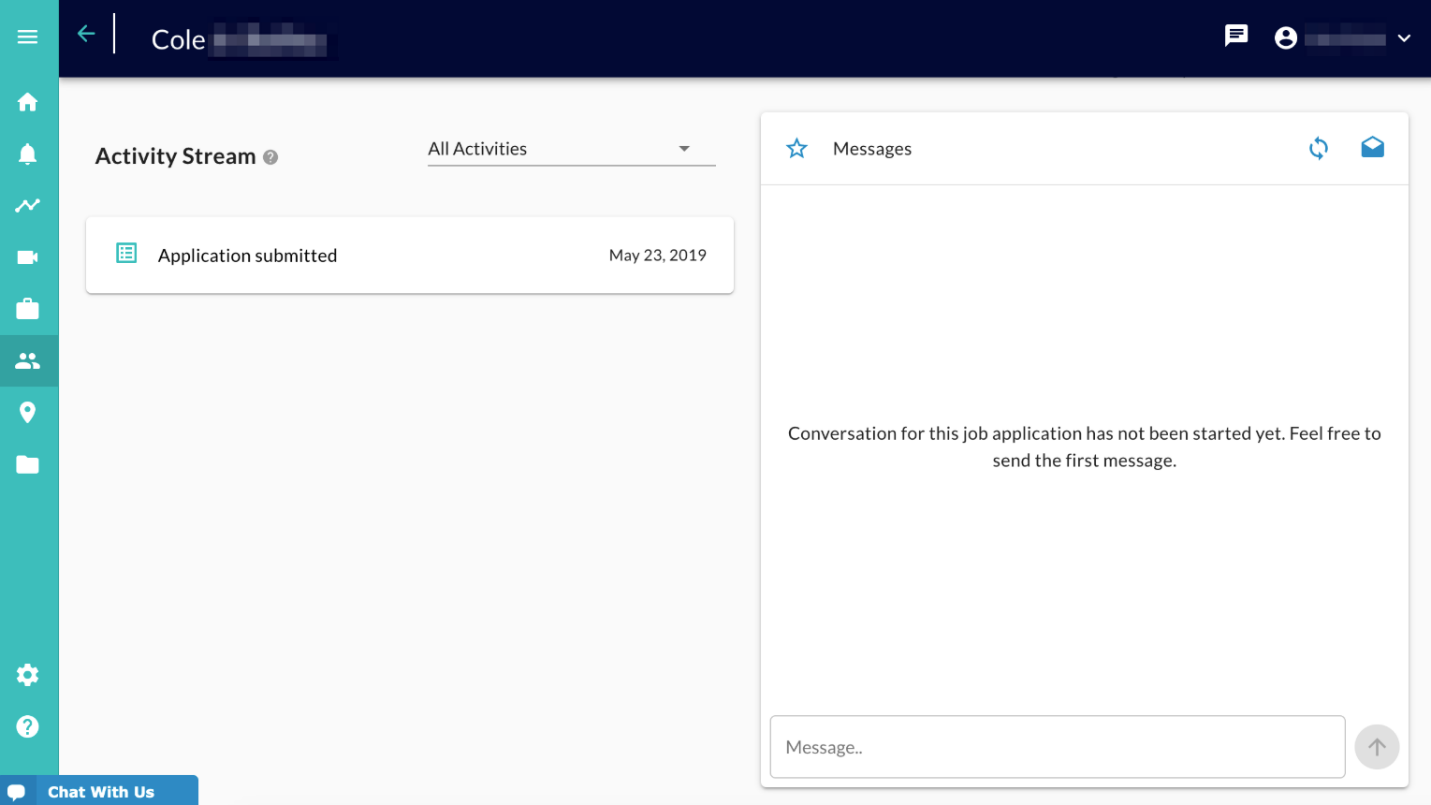
Note: The candidate, if he has the link to the portal, will also see his job application listed and will be able to initiate the conversation.
How are Candidates notified that they have new messages in the chat portal?
We pool every 5 minutes and check if the candidate has unread messages in the portal. If yes, we send an Email and SMS notification.
The Email notification is a system email template (not customizable) that contains a list of all the new messages in the past 5 minutes that the candidate has not read yet, split by message sender.
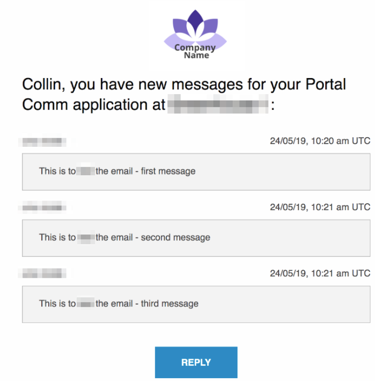
The SMS notification is a generic SMS (not customizable) that contains generic text that only tells the candidate that there are new messages with a link to the portal, it does not include the message content:
Generic text: "{{Candidate.Name}}, you have new messages for your {{Position.Name}} application at {{Company.Name}}. To view the messages and continue the conversation directly with your recruiter please follow this link: {{https://...}}"
How are your Recruiters notified that they have new messages in the chat portal?
They are notified in the following ways:
- Convey recruiter interface
- Email notification(Still in development)
- Desktop notification(Still in development)
- Convey recruiter interface
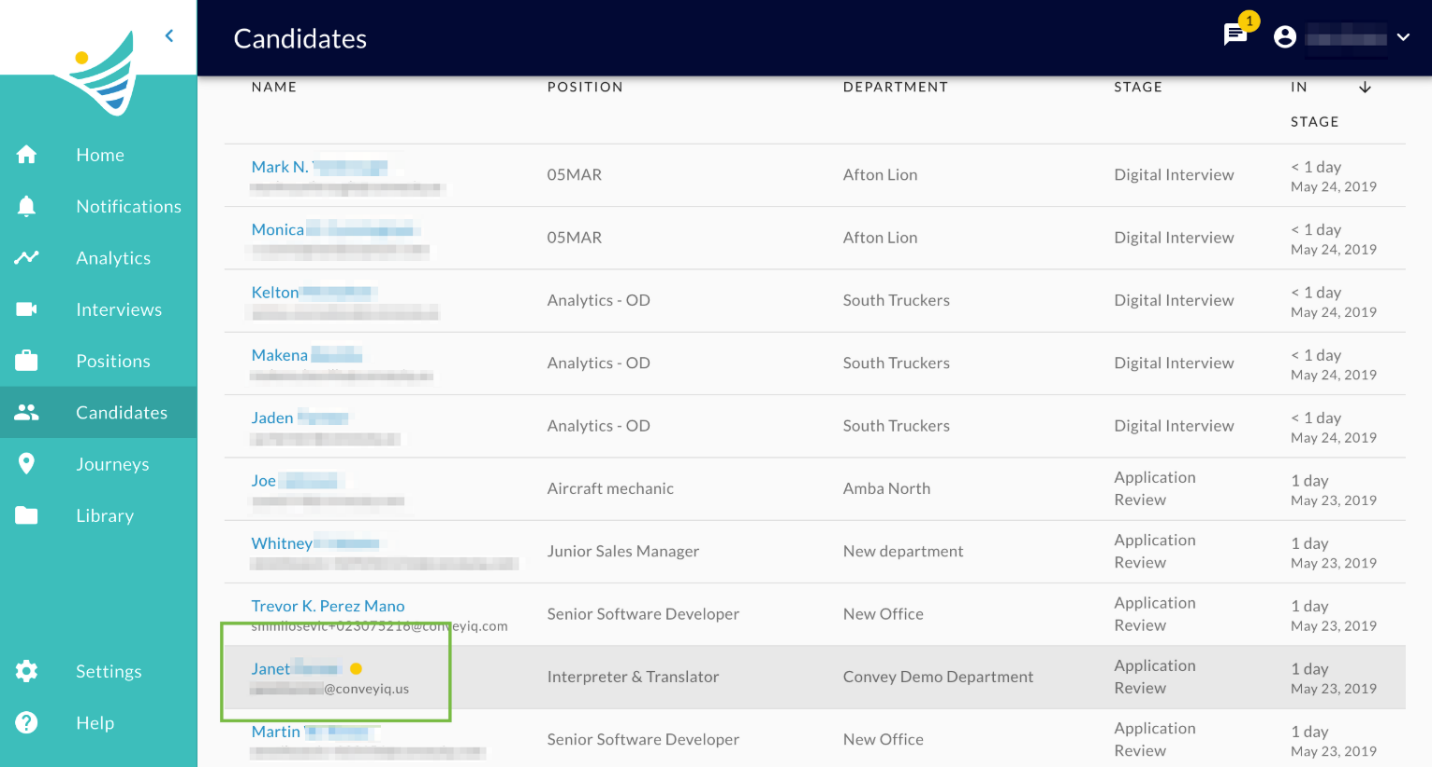
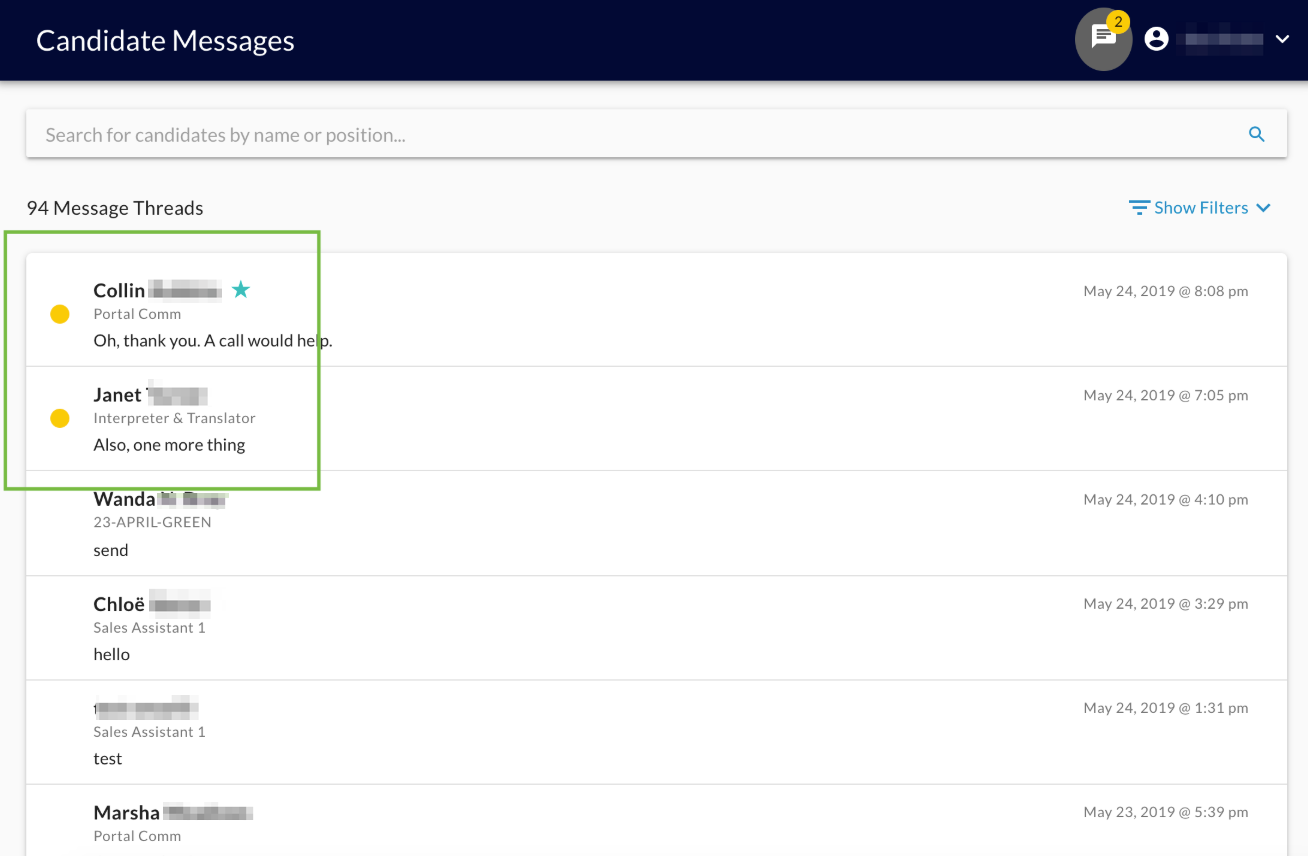
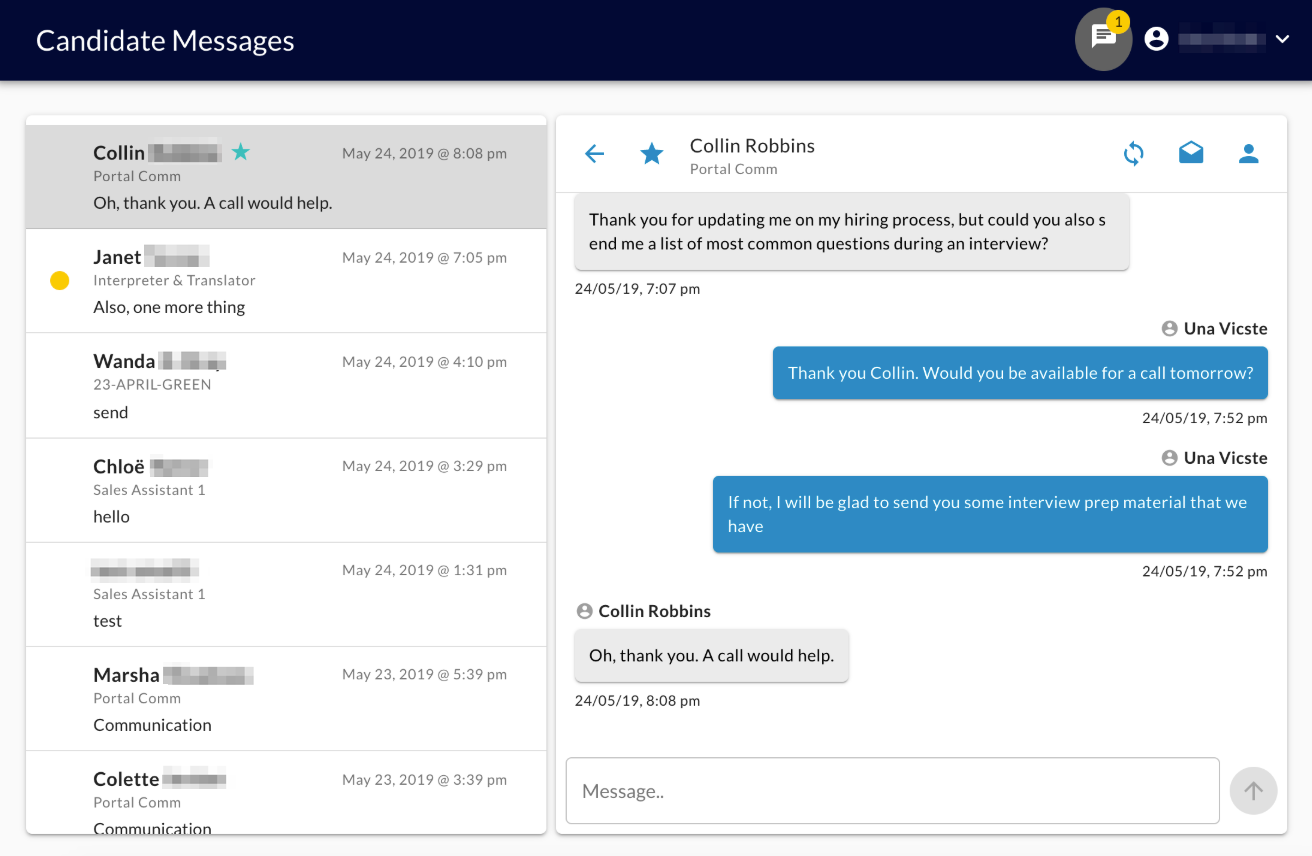
The user will see yellow indications that there are unread messages in the following places: On Homepage, Header icon, Candidates Pool page, Candidate Messages Page:
Email notification (still in development)
The Position Hiring Team Recruiters will receive a direct email notification: (Still in development)
- We pool every 5 minutes and check if the recruiter has unread messages in the portal. If yes, we send anemail notification:
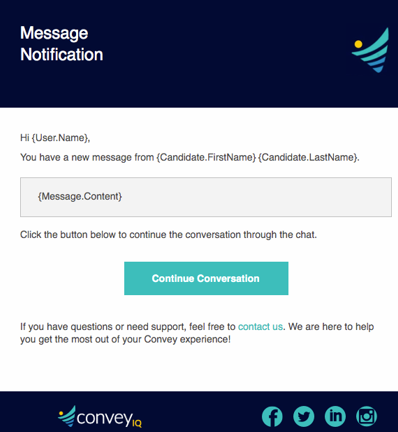
The Continue Conversation CTA will redirect to the Candidate Profile page - with an open chat portal for the related job application.
Desktop notifications (still in development)
Every user that gives Convey permissions to send Desktop Notifications through the browser will receive them for incoming new messages: The Desktop Notification will be per Job Application, so whenever a candidate sends a message through chat portal the notification will fire with the following content:
"New Message from Sam"
"conveyiq.com "
"Hi, wanted to check... "
What is the High Priority flag?
Recruiters can mark any job application as 'High Priority', by doing this they will be able to:
- See the number of new messages from High Priority application on home page
- Filter the Candidate Messages page by High Priority job applications
- Get email and desktop notifications only for High Priority candidates, if set that way on User Settings preferences.(Still in development)
To see how and where the user can set the flag go to Chat Portal Features.