On-Demand Interview Settings
The On-Demand Interview Settings are:
- Configurable from the Company Settings page, by users with Company Admin permission.
- Available to all customers that have the Interviewing (On-Demands) module enabled.
- Do not require any additional setup by CS.
On-Demand Interview Settings allows the client to invite the candidate to an already taken on-demand interview, when the candidate re-applies for the same position, or applies for a different position. In addition, this setting allows the client to allow or disable recruiters and hiring managers to leave comments on individual responses, or make comments on the entire completed on-demand interview. This setting is useful if there is an internal policy where any commenting must be disabled.
The On-Demand Interview settings enable the following configurations:
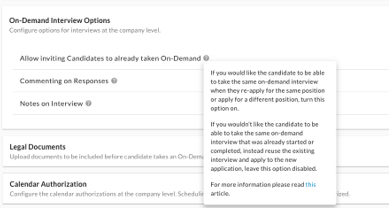
- Allow inviting Candidates to already taken On-Demand - OFF / ON toggle *off by default
- If the client would like the candidate to be able to take the same on-demand interview when they re-apply for the same position or apply for a different position, this option should be turned on.
- If the client would not like the candidate to be able to take the same on-demand interview that was already started or completed, instead reuse the existing interview and apply to the new application, this option should be turned off.
- Commenting on Responses - OFF / ON toggle *on by default
- If the client would like to enable recruiters and hiring managers to read and leave comments on individual candidate on-demand interview responses, this option should be turned on.
- If the client would not like users to be able to leave feedback or has an internal policy where any commenting must be disabled then this option should be turned off.
- Notes on Interview - OFF / ON toggle *on by default
- If the client would like to enable recruiters and hiring managers to leave notes on the entire completed on-demand interview per candidate, this option should be turned on.
- If the client would not like users to be able to leave feedback or has an internal policy where any commenting must be disabled, then this option should be turned off.
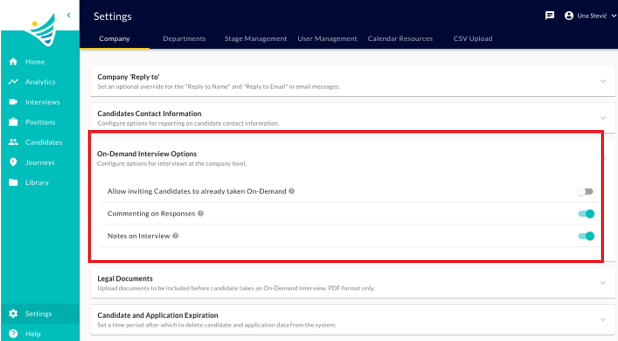
Allow inviting Candidates to already taken On-Demand
If turned OFF
This setting is turned OFF by default for every customer. The customer can change the setting at any point.
A candidate can only take an On-Demand Interview Template once. Next time he is invited to the same interview template for another job application the original interview responses will be reused.
How does this work?
- When a job applicant is invited to take an On-Demand Interview in any form: automated via Journeys or triggered through manual flows (one-off, public link, ATS integrations), the On-Demand Template (questionnaire) is also specified at that moment.
- If the system finds that this candidate already has started or completed an On-Demand Interview for the same template, but for a different job application(position) the system will reuse the existing interview and associate it with the new invite and job application (position).
- In this case, instead of an Invitation email, the candidate will receive the ‘Already Invited' message from the template:
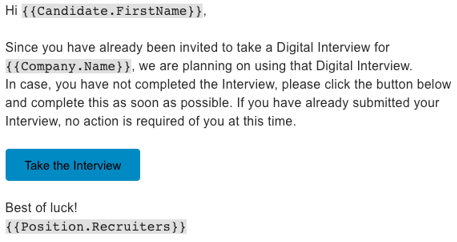
- As a result, the candidate will have the same interview responses available for review and assessment for each job application separately.
- In this case, instead of an Invitation email, the candidate will receive the ‘Already Invited' message from the template:
Use cases:
- Some customers use generic on-demand interviews tied that they apply for 1 or multiple positions. While candidates apply for multiple positions, they would not want to ask candidates to complete exactly the same questionnaire for each of those positions.
Case of duplicate invite
If the "Allow inviting Candidates to already taken On-Demand" setting is set to OFF, the system will detect duplicate invites:
- If the system finds that this candidate has already been invited to an On-Demand Interview for the same template, and for the same job application (position) the system will treat this as a duplicate invite and will skip sending the invite and return error message to the user manually invoking the invite:
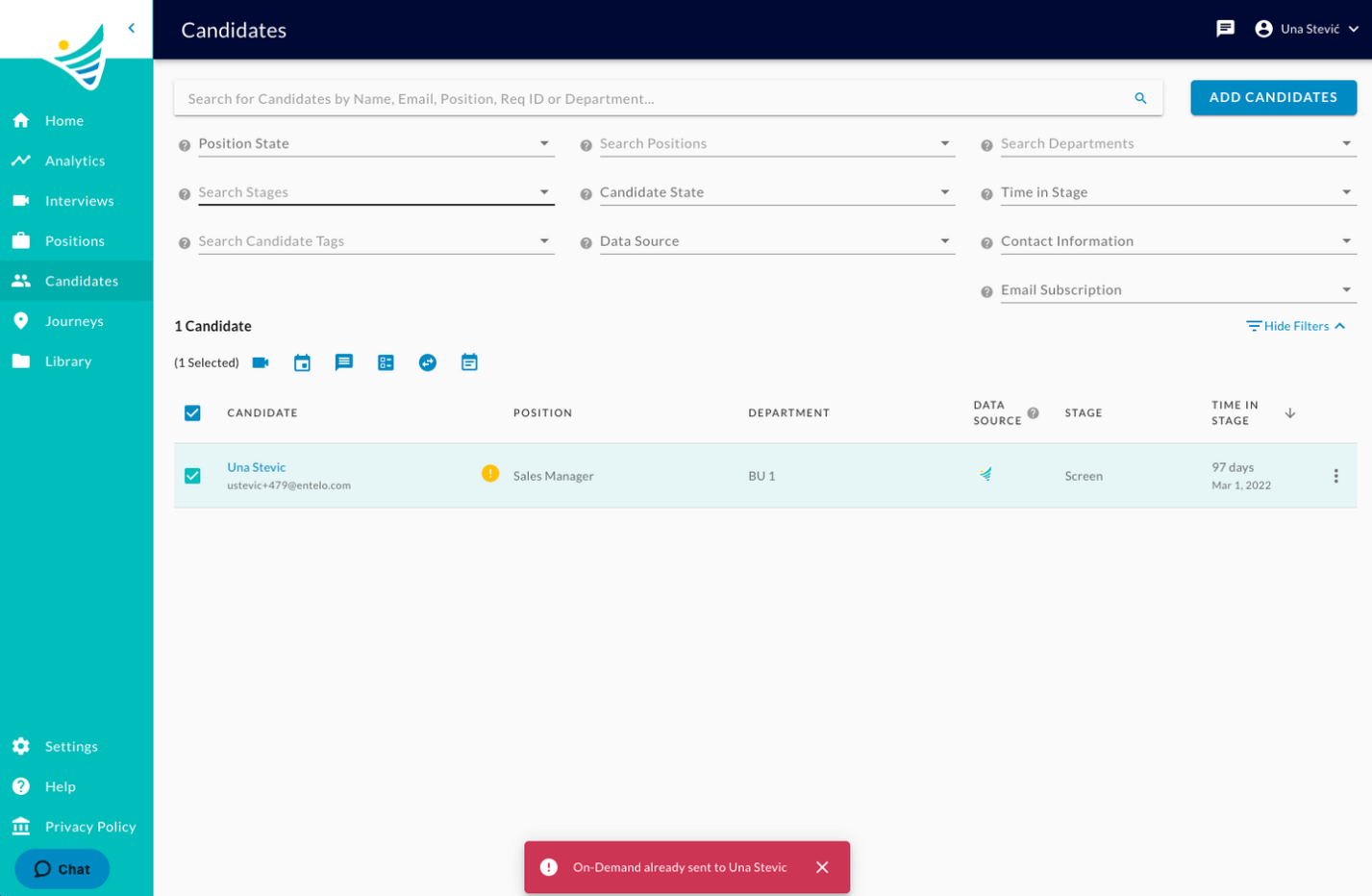
What if I need to let the candidate retake again the same interview for the same job application?
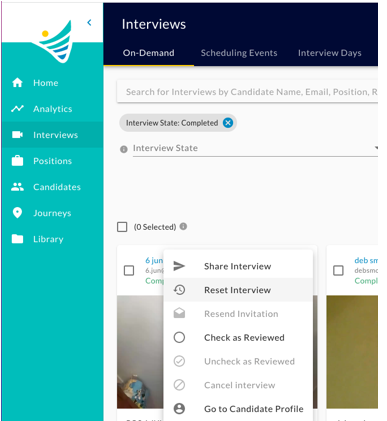
To support this use case, the user can use the Reset interview option. By resetting the interview, the interview answers will be deleted and the candidate will be invited to take the interview again. To learn more about actions that can be performed on the On-Demand Interview, click here.
If turned ON
A candidate can take an On-Demand Interview Template a countless number of times. Next time he is invited to the same interview template for the same or for another job application the candidate will have to take the interview as if it was a completely new interview.
How does this work?
- When a job applicant is invited to take an On-Demand Interview in any form: automated via Journeys or triggered through manual flows (one-off, public link, ATS integrations), the On-Demand Template (questionnaire) is also specified at that moment.
- If the system finds that this candidate already has started or completed an On-Demand Interview for the same template, the system will ignore this and send the On-Demand Template Invitation message to the candidate and create a new instance of the interview once the candidate submits the responses.
Use cases
- Some customers would like their candidates to be able to complete the same on-demand interview (template) that was already taken or started, as a new interview:
- The candidate might re-apply for an evergreen position in which case they might have different answers this time and the recruiter would want a new interview.
- Even if the candidate might apply for another position because some time has passed from his last interview, the answers might be different this time, and the recruiter would want a new interview.
What happens if the "Allow inviting Candidates to already taken On-Demand" setting is changed, while interviews already exist in the system?
The setting can be changed at any time. The chosen setting rule will apply from the moment it is saved until it is updated next time.
If set to off, and then turned on: Any candidate invited from that moment on, will be able to take the interview template as a new interview, in case he provided one in the past already.
If set to on, and then turned off: Any candidate invited from that moment on, will not be able to take the interview template as a new interview, in case he provided one in the past already. Instead, the 1 existing interview will be reused.
Commenting on Responses
The default value for "Commenting on Questions" is "On".
If turned ON
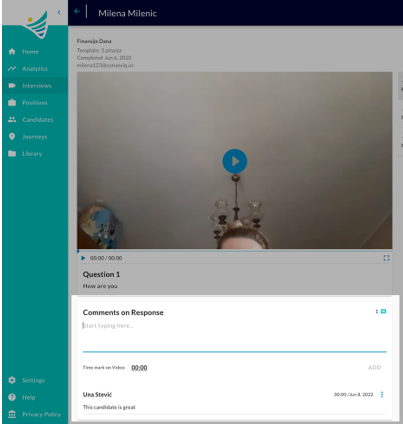
Reviewers of On-Demand Interviews will be able to read and add comments to answers provided by candidates.
For a recruiter or hiring manager that navigates to the completed on-demand interview in Convey platform or through a public link, the section for adding comments on each response will be visible and enabled:
If turned OFF
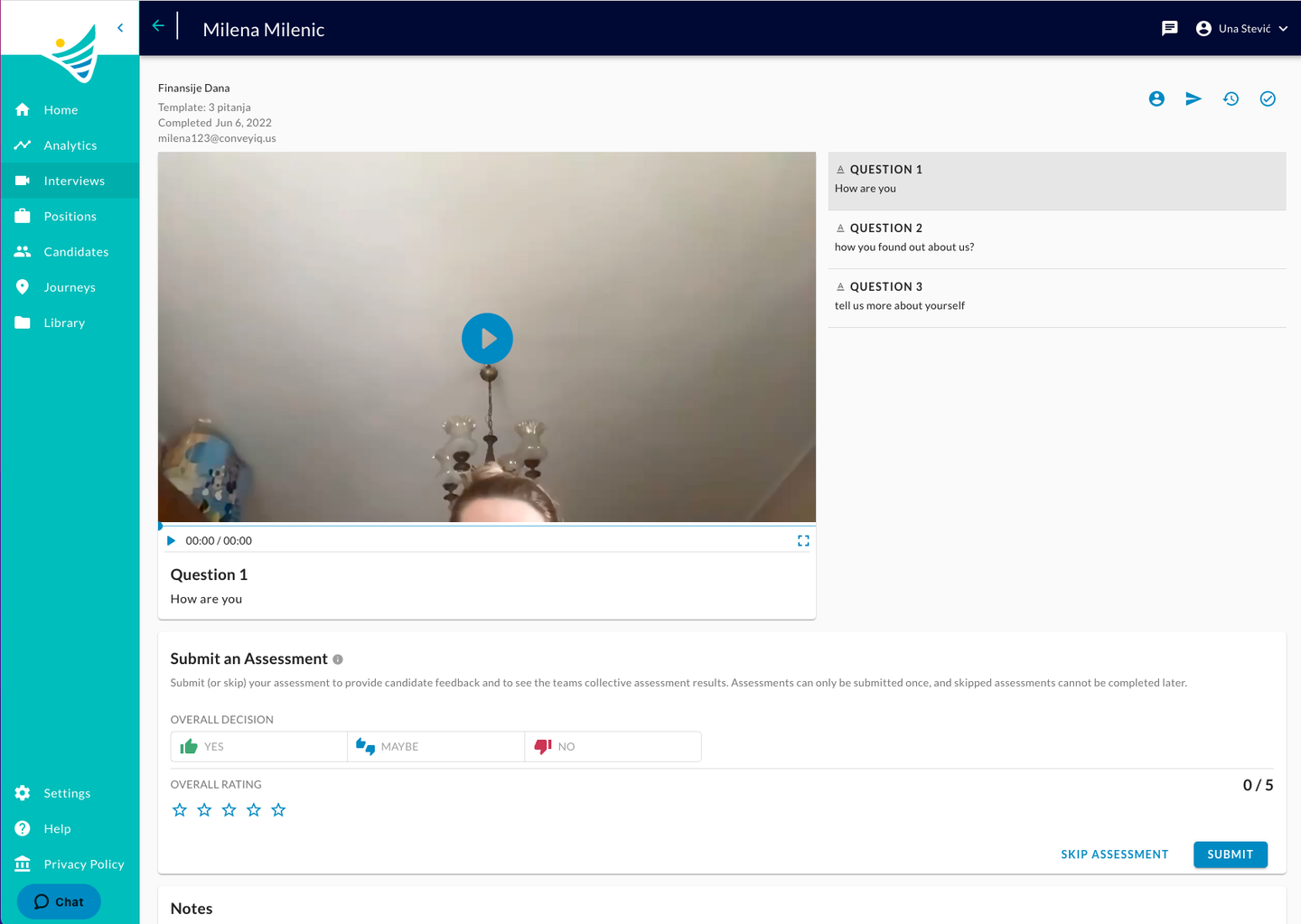
Reviewers of On-Demand Interviews cannot add comments to answers provided by candidates.
For a recruiter or hiring manager that navigates to the completed on-demand interview in Convey platform or through a public link, the section for adding comments on each response will be hidden:
What happens if the "Commenting on Responses" setting is changed, while comments already exist in the system?
If the feature has been already used and comments saved, once turned OFF the comments will be hidden (not deleted). If the feature is turned back ON again, the hidden comments will be restored and visible again.
Notes on Interview
The default value for "Notes on Interview" is "On".
If turned ON
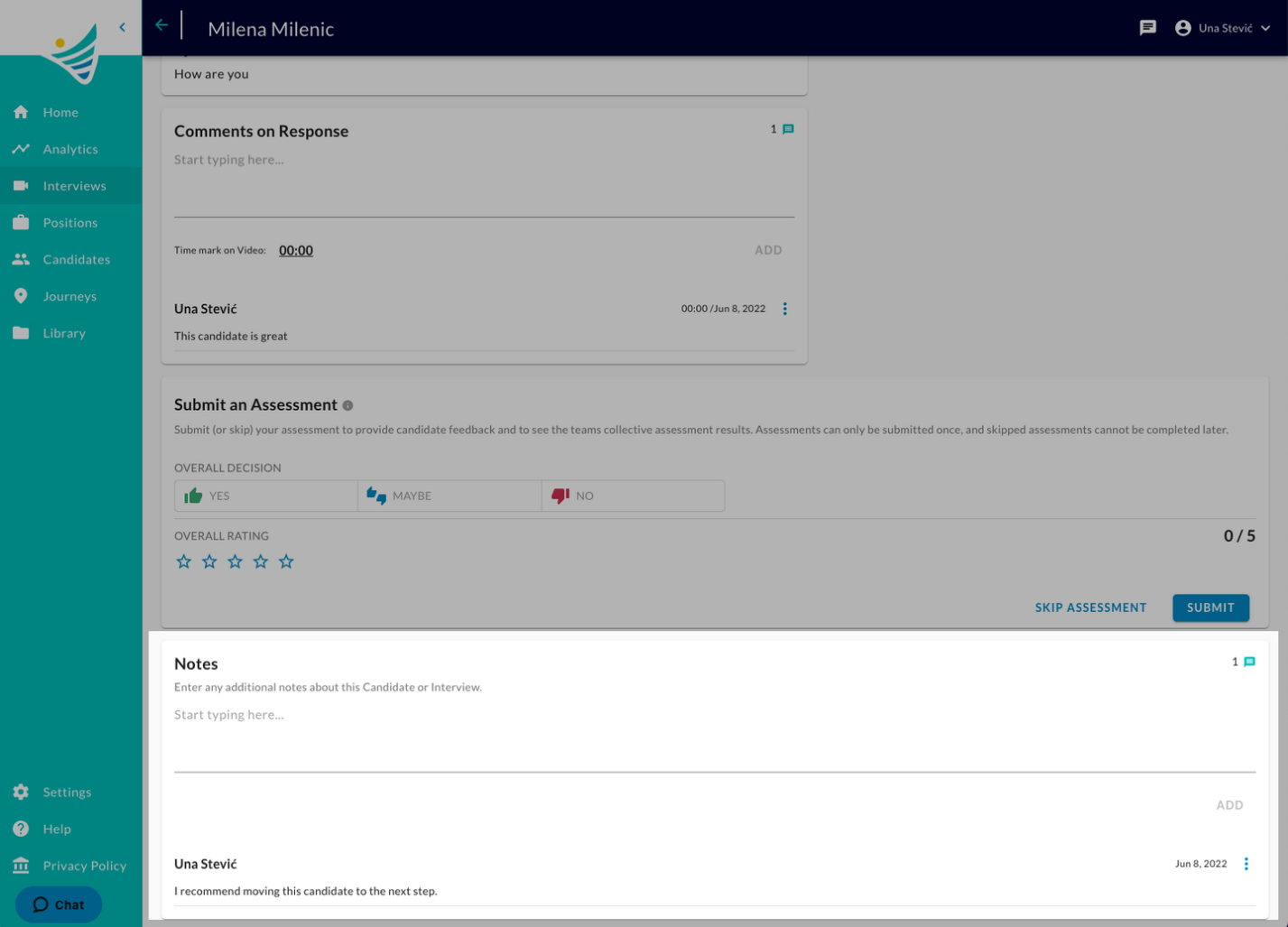
Reviewers of On-Demand Interviews will be able to read and add notes at the level of the entire interview.
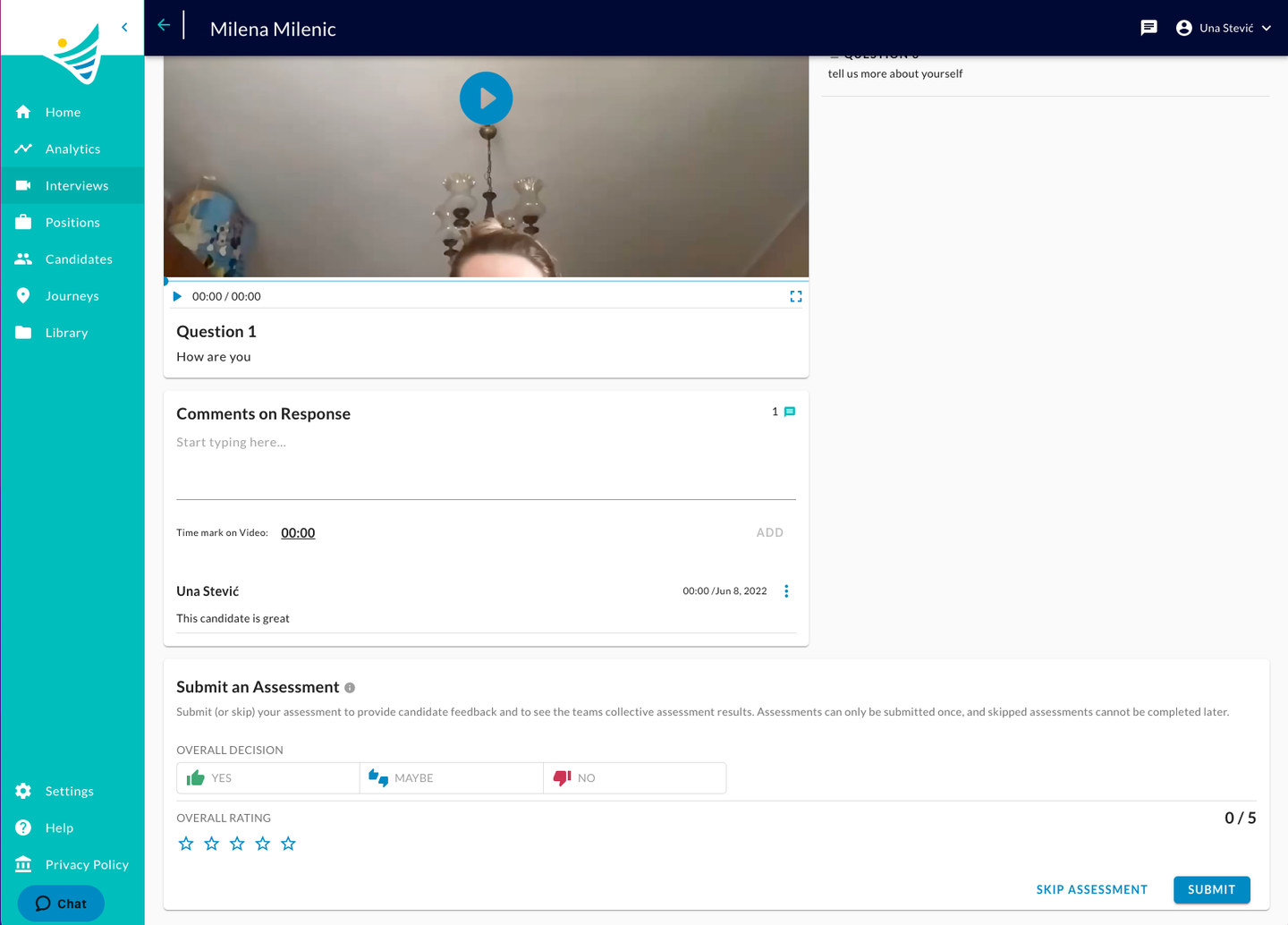
For a recruiter or hiring manager that navigates to the completed on-demand interview in Convey platform or through a public link, the section for adding notes will be visible and enabled:
If turned OFF
Reviewers of On-Demand Interviews will not be able to read and add notes at the level of the entire interview.
For a recruiter or hiring manager that navigates to the completed on-demand interview in Convey platform or through a public link, the section for adding notes will be hidden:
What happens if the "Notes on Interview" setting is changed, while comments already exist in the system?
If the feature has been already used and notes saved, once turned OFF the notes will be hidden (not deleted). If the feature is turned back ON again, the hidden notes will be restored and visible again.