How to Log In to ConveyIQ New
Hi there, new ConveyIQ New user! In this article, we will guide you on how to complete your ConveyIQ New account. Are you ready?
Every new user in ConveyIQ New receives a Welcome Email. A Welcome email is automatically sent once the user is added to a company. A new user has 24 hours to accept the invitation, otherwise, it will expire and will need to be resent.
Here is how the email looks like:
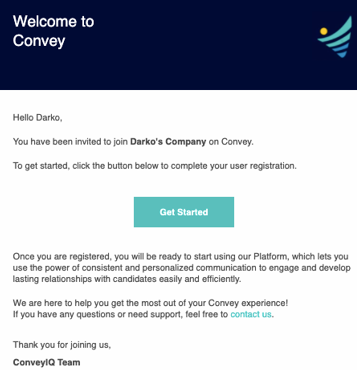
By clicking on Get Started you will be taken to create your own ConveyIQ New password. Here is how it looks like:
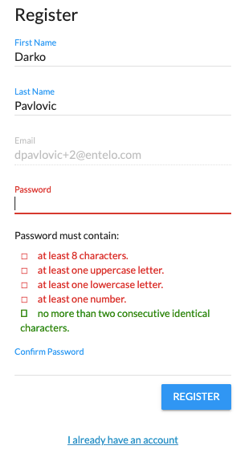
There are criteria to satisfy in order to create a password. The criteria are:
- Password must have at least 8 characters.
- Password must have at least one uppercase letter.
- Password must have at least one lowercase letter.
- Password must have at least one number.
- Password must not have more than two consecutive identical characters.
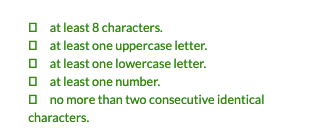
Once the criteria are met, you will see the criteria turning green which will signal that your password is good! Here is how it looks like:
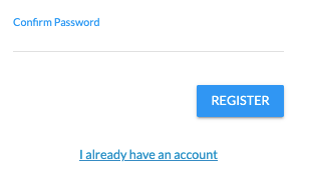
The last step is to reenter your password for confirmation. Here is the screenshot:
Once the password is created, you will be taken to the Registration Complete window. Here is how it looks like:
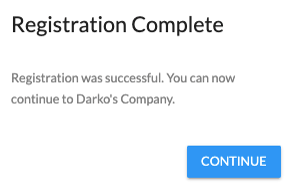
By pressing Continue, you will be taken to acknowledge ConveyIQ by Entelo's Term Of Services:
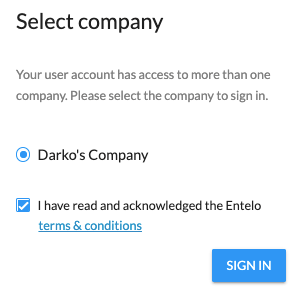
After which you will be signed in, by clicking on Sign in.
You can also sign in by using our Sign in link. Here it is: Sign-in Link
NOTE: If you have a ConveyIQ New account but forgot your password, you can click on Forgot Your Password? option and you will receive a reset password email. Here is how it looks like:
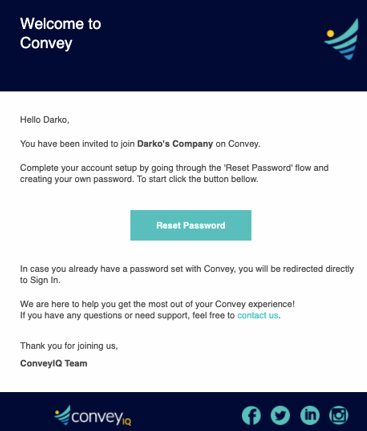
You can also reach out to our Support Team and we can also manually send you a reset password email.
If you were Convey Classic user migrated to ConveyIQ New, you will receive a welcome email in the form of a reset password email to create a new password for ConveyIQ New.
We hope this was helpful!