Rival Help CenterConveyIQ

How to Create Live Interview Links for Candidates

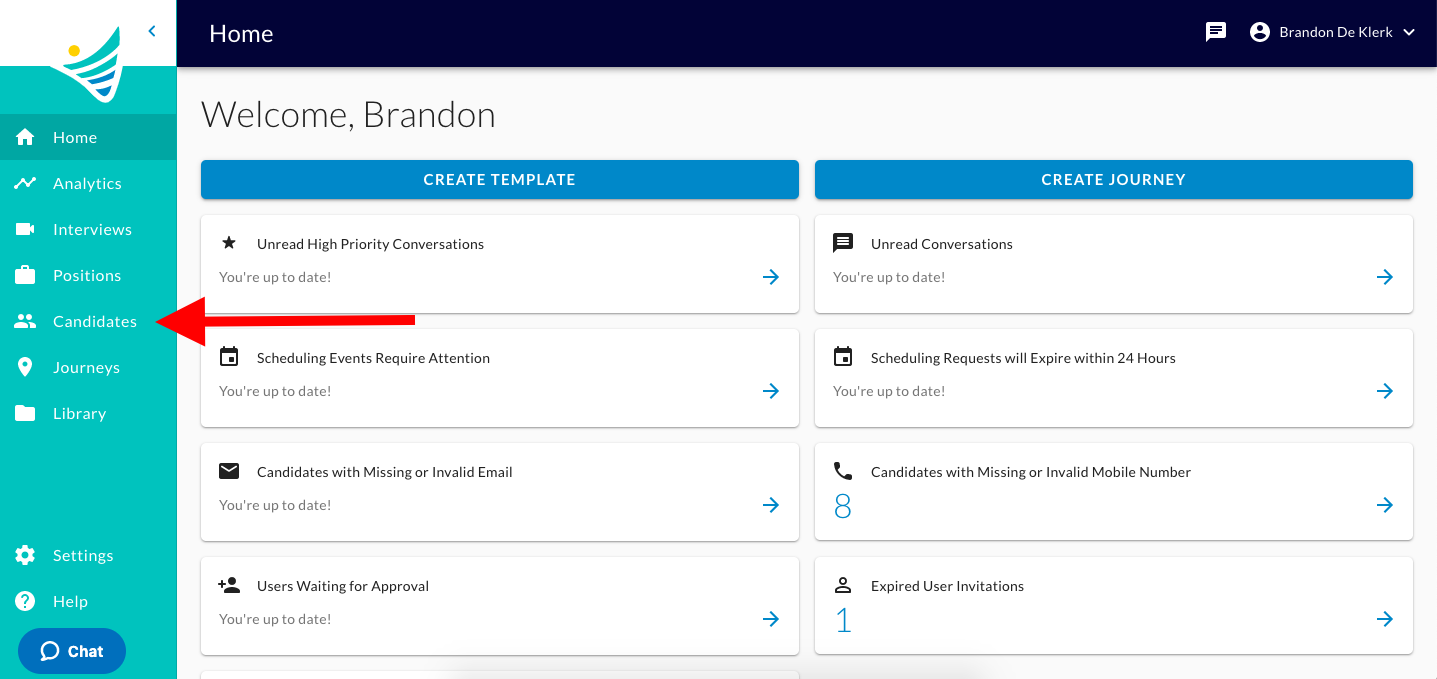
  1. You will start by clicking the "Candidates" button on the left-hand side of the screen. The ConveyIQ Home page with a red arrow pointing to Candidates in the left menu
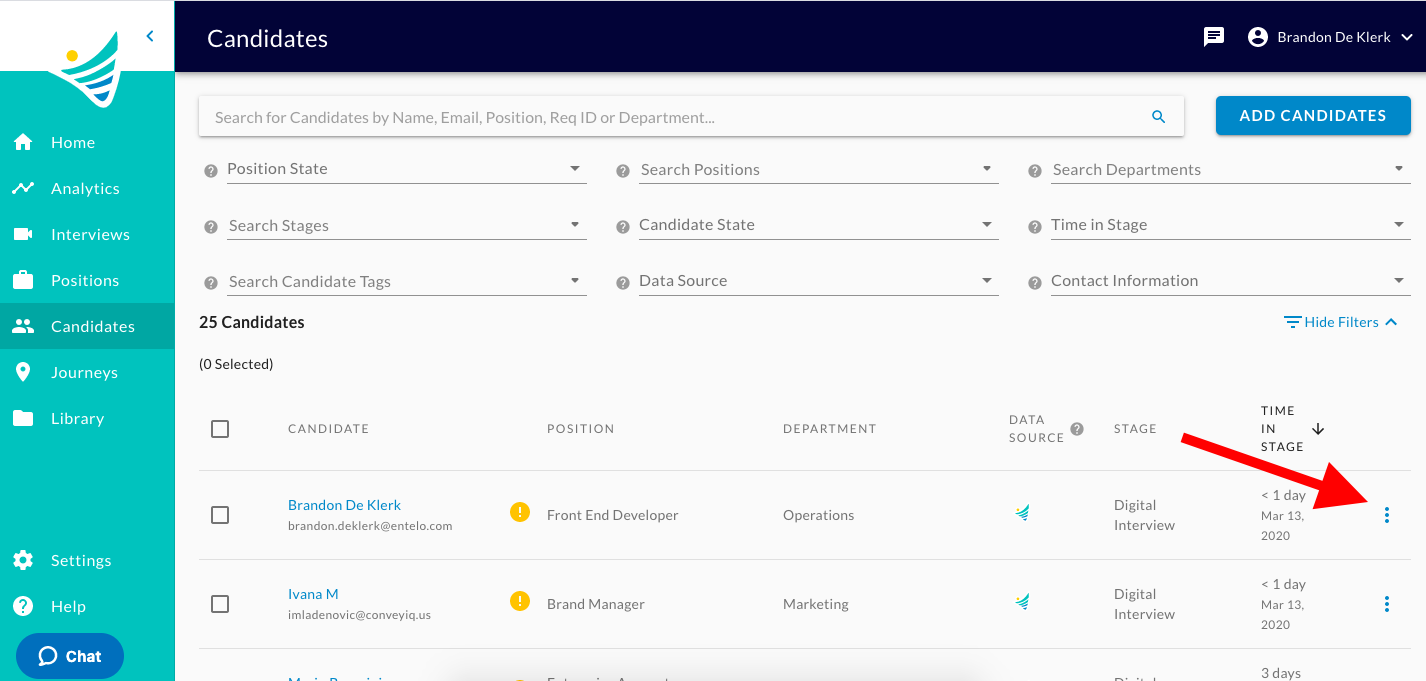
  2. Click the 3 vertical dots next to the Candidate's name. The Candidates list with a red arrow pointing to the three-dot menu on a candidate row
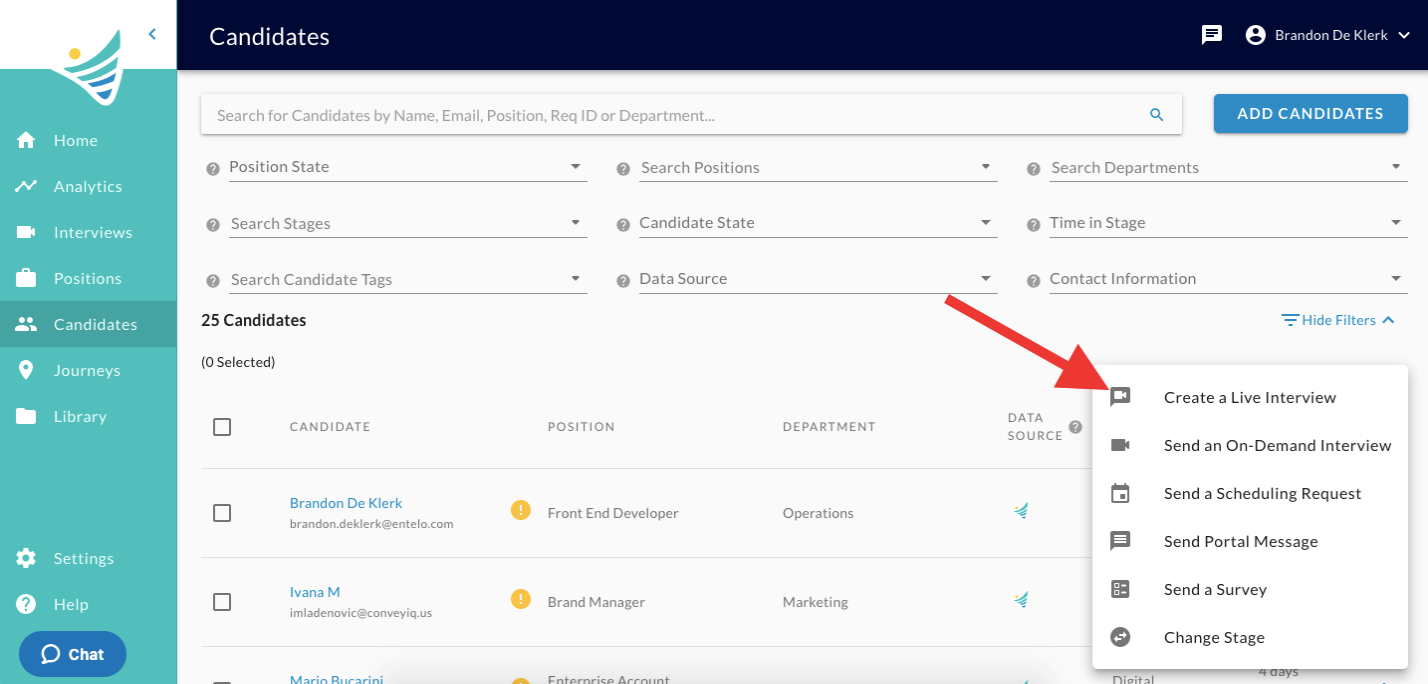
  3. Click the "Create a Live Interview" option. The Candidates page with a row menu open and a red arrow pointing to Create a Live Interview
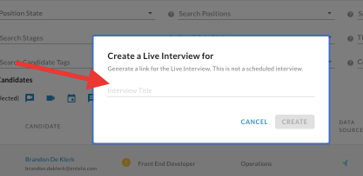
  4. Insert an Interview Title. The Create a Live Interview dialog with a red arrow pointing to the empty Interview Title field
  5. Once you have entered an Interview Title, please click the "Create" button. The Create a Live Interview dialog with a title entered and a red arrow pointing to the Create button
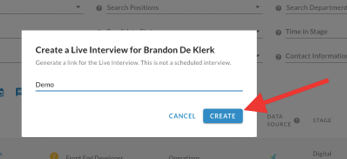
  6. Select the "Copy" hyperlinked text and you can share that with the Candidate.
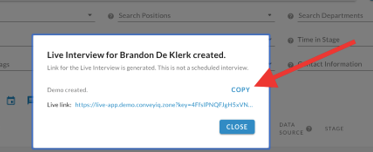
The Live Interview created dialog with an interview link and a red arrow pointing to the Copy button

You have successfully created a Live Interview link for a candidate! You can now schedule a Live Interview with the candidate.