Scheduling Communications and Templates
Scheduling Communications are found and set on the Scheduling Template.
There is a list of all the messages that will be sent to candidates and interviewers during the scheduling flow.
They are split between messages for candidates and messages for interviewers as different content and logic of sending applies to the two categories.
Messages to Candidate:
These are the messages that the candidates will receive when they enter the Scheduling:
- Initiated from Journey when a candidate enters the Journey Path that contains a Scheduling step.
- Initiated as an On-Off action to schedule an interview with the candidate.
All the messages are mandatory to be set except the 'Reminder to Schedule' - as they can be turned on and off.
Each message has a default channel type (Email / SMS) and content provided by Convey. The content can be edited and SMS channels can be added or removed. The email channel is required.
Messages:
- Request to Schedule
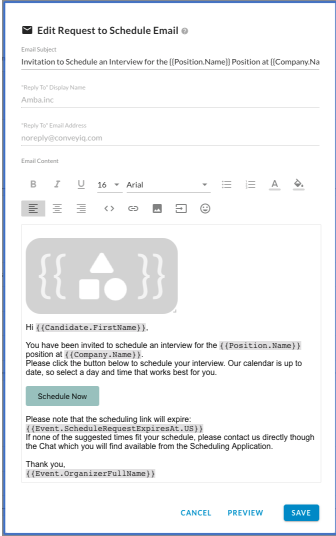
- Mandatory communication.
- Invites the candidate to schedule an interview by picking time-slot
- Must have a link to Scheduling App: Button or merge field.
- Optionally can have info when is the last day to schedule (if set) as the scheduling window.
- Should include information about which position it is for.
- Reminder to Schedule
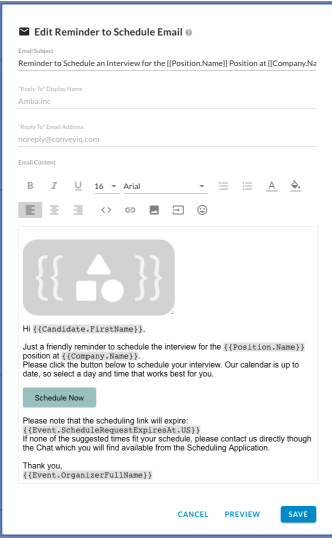
- Optional communication.
- Reminds the candidate to schedule the interview.
- Stops being sent after the 'last day to schedule' expires (if set)
- Frequency and total number can be customized.
- Must have a link to Scheduling App: Button or merge field.
- Optionally can have info when is the last day to schedule (if set) as the scheduling window.
- Should include information about which position it is for.
- Scheduling Confirmation
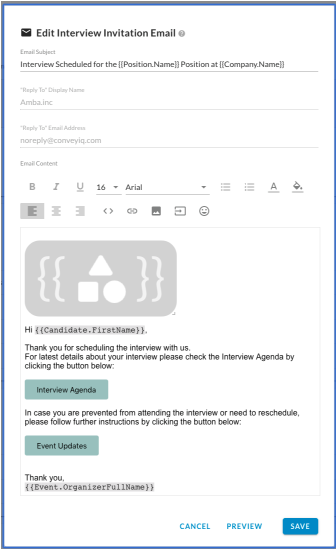
- Mandatory communication.
- Sent as soon as the candidate scheduled the interview.
- It includes a .ics calendar attachment
- Should include the scheduled interview details: use the Event Agenda button or merge field.
- Optionally can include a link to the Scheduling App "Event Updates" from where the candidate can cancel the interview if needed and also get to the Two Way app to reach out to the recruiter if rescheduling is needed.
- Day Before Interview Reminder
- Mandatory communication.
- Sent 24 hours before the interview is scheduled based on the candidate's time zone.
- Includes all the details as the Scheduling Confirmation.
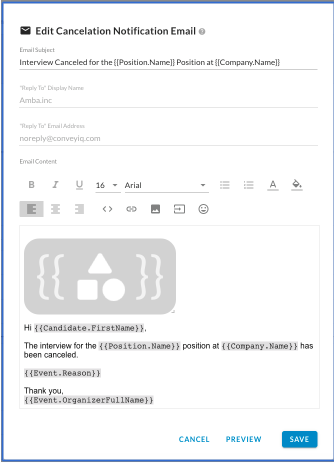
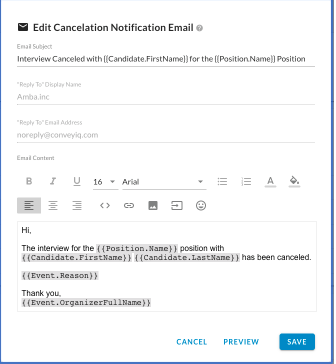
- Cancellation
- Mandatory communication.
- Send as soon as the Event is canceled from anyone or any point:
- By the recruiter (organizer or anyone else) from the Convey App for recruiters
- By the Interviewer or Organizer from the Calendar provider
- By the Candidate from the Candidate Scheduling App
- By the System because required interviewers denied attendance and event is canceled.
- It should include information about the position so the candidate knows which interview is canceled.
- Optionally can include the Event. Reason merge field that will be populated with the feedback provided by the user canceling the interview or system.
Messages to Interviewers:
These are the messages that the interviewers will receive once the candidate scheduled the interview (selects date and time).
- Scheduling Confirmation
- Mandatory communication.
- Sent as soon as the candidate scheduled the interview to ALL interviewers that have been selected by algorithm to take part in the interview based on their availabilities.
- Should include the scheduled interview details: use the Event Agenda button or merge field.
- Should include information about the candidate. Potentially link to the candidate profile or similar.
- Day Before Interview Reminder
- Mandatory communication.
- Sent 24 hours before the interview is scheduled based on the template time zone.
- Includes all the details as the Scheduling Confirmation.
- Cancellation
- Mandatory communication.
- Send as soon as the Event is canceled from anyone or any point:
- By the recruiter (organizer or anyone else) from the Convey App for recruiters
- By the Interviewer or Organizer from the Calendar provider
- By the Candidate from the Candidate Scheduling App
- By the System because required interviewers denied attendance and the event is canceled.
- Should include information about the position and candidate.
- Optionally can include the Event. Reason merge field that will be populated with the feedback provided by the user canceling the interview or system.