Rival Help CenterWorkflow

List of self-service Forms

You can find all available self-service Forms in the top section of the Forms tab.
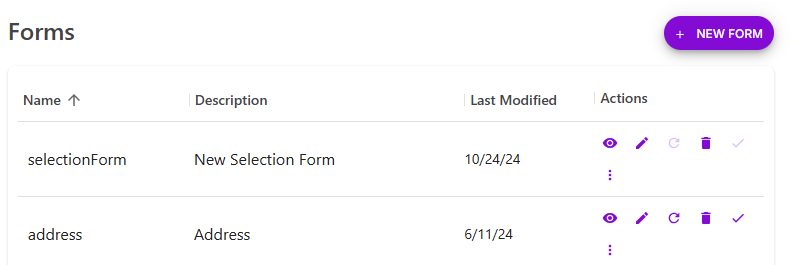
The Forms list with Name, Description, Last Modified and Actions columns, and action icons beside each form

Let's take a look at some key parts of the page.

Description
1Form NameThe name of the Form.
2Form DescriptionA description of the Form (what the Form does/collects).
3Action icons

eye iconPreview a self-service Form.

pencil iconEdit a self-service Form.

rollback arrow iconRollback a Form. Rollback means going back one version.

trash can iconDelete a self-service Form.

checkmark iconPublish a self-service Form. (A grayed out check mark means the Form is not published yet.)

three-dot menu iconView self-service Form version history