Use quick search to find an employee
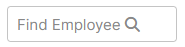
- Quick search box appears at the top right of the page if your privileges allow.
- You can search for an employee by first name, last name, email address, or preferred name (if configured).
- Quick search results show active employees only. From the Find Employee text box, enter an employee’s first name, last name, or email address.
 The employee's Employee card opens.
- View the employee's contact information, take actions, or both.