Refresh self-service Form with updated info upon task reopen
Here's a new feature to get the most updated information from a user's profile into a self-service Form without having to re-enter it. Enter the information in one place. When the task is reopened, the Form shows the fresh new data.
As an admin when configuring a self-service Form, you have two refresh options to choose from.
Option 1: Global refresh
- Open the Form in Form Builder.
- Select (check) the Refresh all defaulted fields when form is open option.
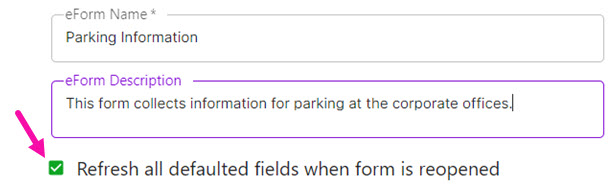
- Click Save Form. The system refreshes any field that is configured to prepopulate a value when the Form is reopened after completion.
Tip: Reopen after completion means the user saves and completes the form, closes the task, then an admin reopens the task with the purpose of updating info on the Form. Reopen does not mean simply viewing the Form.
Option 2: Field level refresh
- Open the Form in Form Builder.
- For the element you want to be refreshed, click
 .
. - Select (check) the Update defaults on form reopen option.
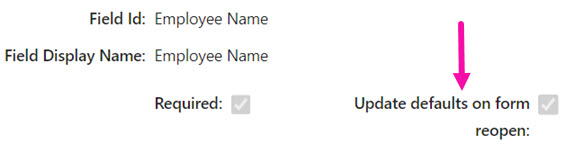
- Click Save to save the element.
- Click Save Form.
The system refreshes the individual fields (elements) that you selected to be refreshed when the Form is reopened after completion.