Survey form
| Description | ||
|---|---|---|
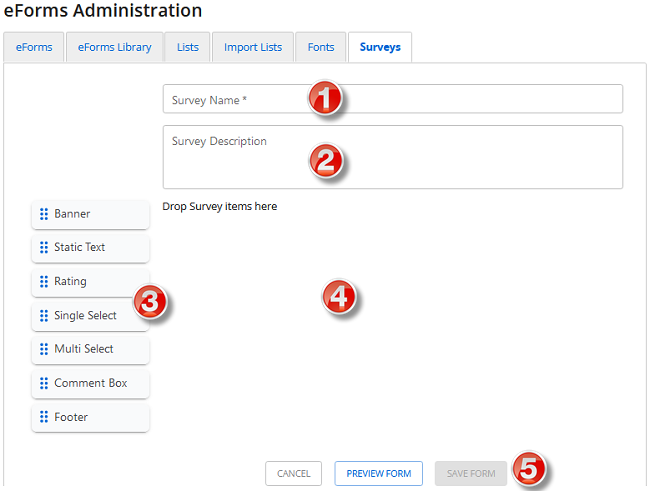
| 1 | Survey Name | The name of the survey. (Required) |
| 2 | Survey Description | A description of the survey (what is does/measures). |
| 3 | Elements | Elements make up the content of a survey. |
| 4 | Survey panel | Drag and drop elements here and arrange them. |
| 5 | Action buttons | Cancel: Cancels changes to the survey form and does not save. Preview Form: Preview the survey form to see how it will look. Save Form: Saves the form. Publish Form: Publishes the form. |