Reopen a Form I-9
- If you discover an error on an employee's Form I-9, you can reopen a Form I-9 task so it can be redone.
- You choose the starting point for the "redo" by selecting either the employee or employer Form I-9 task.
- The Form I-9 can be reopened before or after it is submitted to E-Verify. If it is after, a new E-Verify case is created.
- On the E-Verify Submission page, expand the Cancel Case & Reopen Tasks panel:
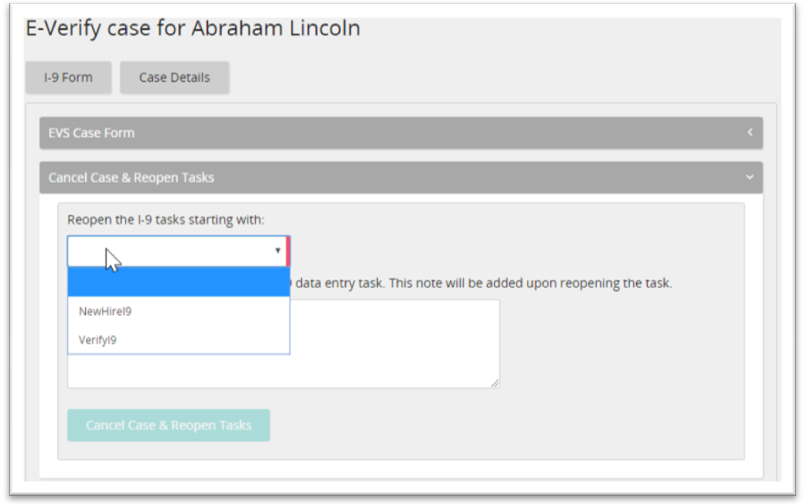
- From the drop-down list, select the Form I-9 task to reopen (employee task or employer task).
- Click Cancel Case & Reopen Tasks. The system reopens the task and it appears on the appropriate task list so it can be redone.