ROSI Form Builder
ROSI Form Builder helps you create forms faster by generating a draft Smart Form from an existing document.
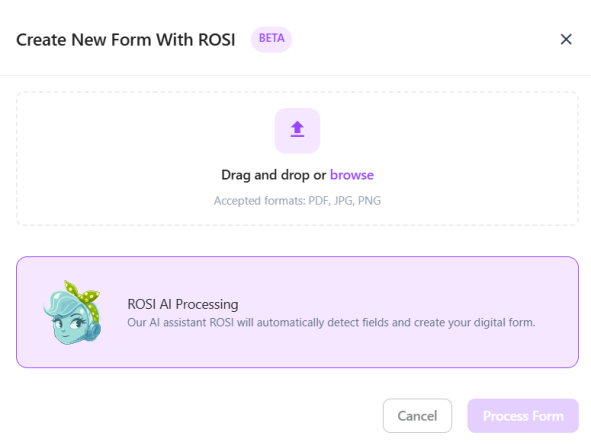
Upload a document and let ROSI extract fields, structure, and content. The generated form can then be reviewed and refined in Form Builder before publishing.
See our Guided Demo to walk through creating a form with ROSI.
Where to find it
ROSI Form Builder is available as part of the Forms Library experience.
- Go to Events & Forms.
- Open the Forms Library.
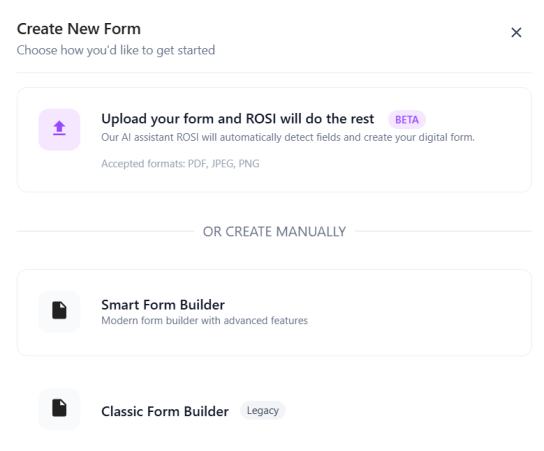
- Click + New Form and choose the option to generate a form with ROSI.
NOTE: ROSI Form Builder is part of the New Forms Library experience. Some organizations may still use the legacy Forms experience, where forms are managed under Administration.
How it works
- Upload an existing document (such as a PDF, JPG, or PNG file). For best results, use clear, well-structured documents with consistent formatting.
- ROSI analyzes the document and generates a draft Smart Form.
- Review the generated form in Form Builder.
- Edit fields, structure, and formatting as needed.
- Save and publish the form for use in workflow tasks.
 |  |
What to expect
- ROSI generates a draft form that may require adjustments before use
- Field mapping and structure are based on the uploaded document
- Some formatting or field types may need to be refined manually
- Generated forms follow the Smart Form structure used in Workflow
Best practices
- Use clear, well-structured source documents for better results
- Review all fields and required inputs before publishing
- Test the form within a task to confirm expected behavior
Access and enablement
Access to ROSI Form Builder depends on your organization’s configuration and user privileges.
For more information, see Form privileges.
ROSI Form Builder is disabled by default for controlled rollout. When enabled, it appears as an option when creating a new form in the Forms Library.
Admins can enable it in Administration > Settings > UI > Enable New Forms Library.