Membership inclusion and exclusion criteria
Learning Journeys can be limited by membership inclusion/exclusion criteria. Why use membership criteria? It helps assign a learning journey to a specific audience (students) with minimal effort.
Membership inclusion
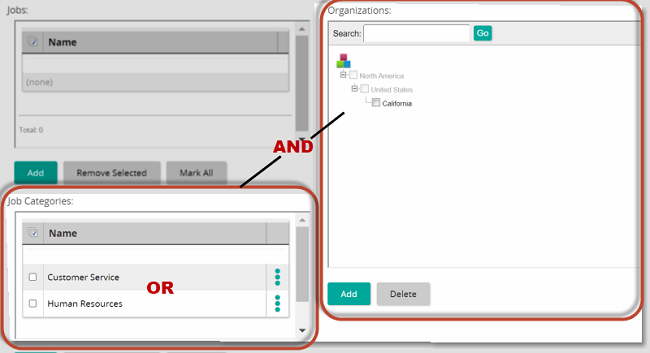
Learning Journeys can be assigned to students based on their membership in a job, group, job category, and organizational unit. The learning journey can be assigned based on one or more of those criteria. When using multiple criteria, it is important to understand how the system logic works. Within the same criteria, inclusion is based on OR logic. Across different criteria, inclusion is based on AND logic. The following image illustrates this.
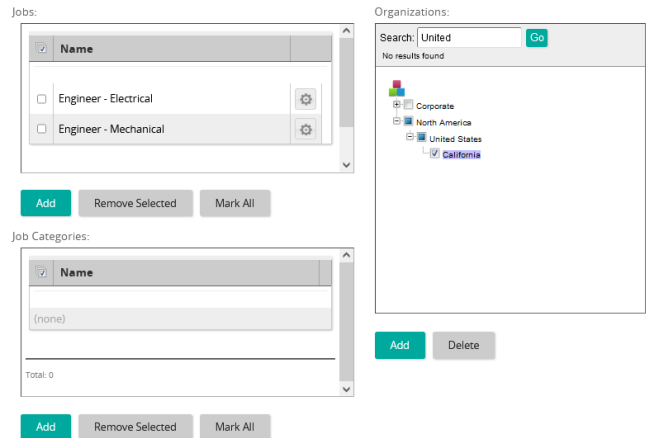
Example: Let's say you want to assign a safety course to electrical or mechanical engineers—and only those who are employed in California. In the system, membership inclusion criteria would look like this:
Membership exclusion
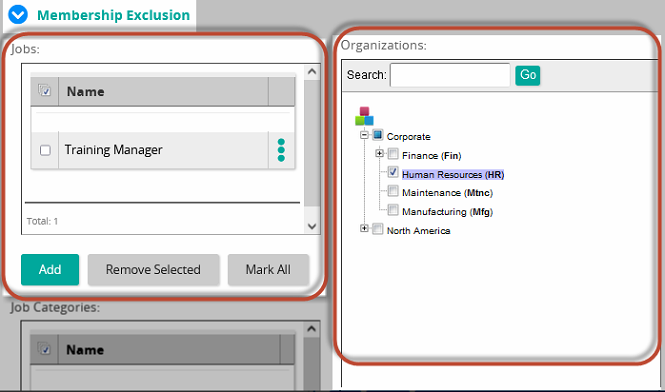
Employees can be excluded from receiving a learning journey based on their membership in a job, group, job category, and organizational unit. When using multiple criteria, the system logic works like it does with membership inclusion. Within the same criteria, exclusion is based on OR logic. Across different criteria, exclusion is based on AND logic.
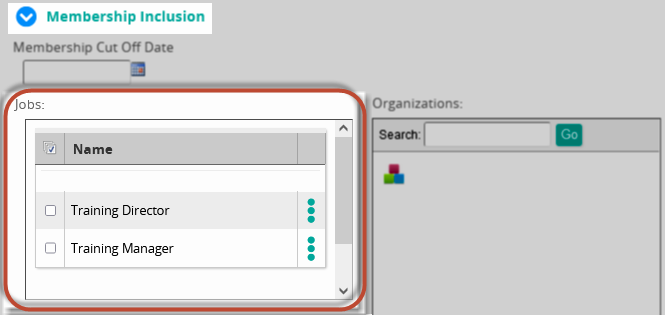
Example: Let's say you want to assign a learning journey to all Training Directors and Training Managers in your company except those Training Managers in Human Resources. In the system, you would use a combination of membership inclusion and membership exclusion. It would look like this: