Rollup course mastery on completion only
Rival Learn expects that all required activities send a success status of Passed before it rolls up the activity as mastered. Some content vendors do not always send success status of Passed but instead send a Completed completion status. In these cases, the content is never considered mastered because a Passed status is not communicated.
You can now identify course content that only sends Completion status and consider the course to be mastered when only a Completed status is communicated to Rival Learn.
Identifying content that does not send a Passed status
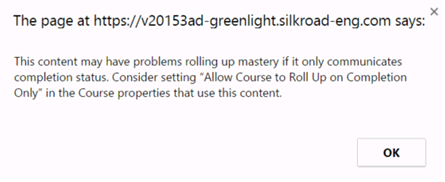
Rival Learn can detect content that does not send a Passed status when previewing content in the Admin Portal. Launch the content in Preview mode from the Content>Authoring tab. Whenever content commits completion status, but does not send satisfied status, Rival Learn detects this in Preview mode. When detected, you are prompted to consider turning Allow Course to Roll Up on Completion Only option ON in the course properties for courses that link to this type of content:
Modify course completion properties
The Allow Course to Roll Up on Completion Only option on the eCourse Properties page controls how Rival Learn interprets satisfaction and completion status for eCourses, See eCourse Properties page for more information.