Step 1: Create the object
- From the navigation bar, click Content.
- Under Authoring, click Content Objects.
- Click Add. The Content Object Properties page opens.
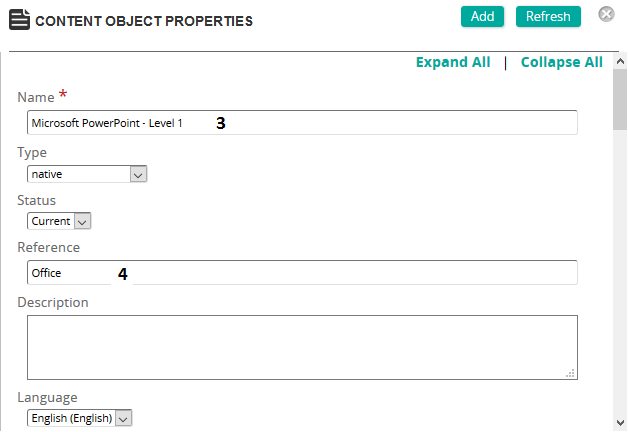
- Give the Content Object a name.
- Type a Reference.
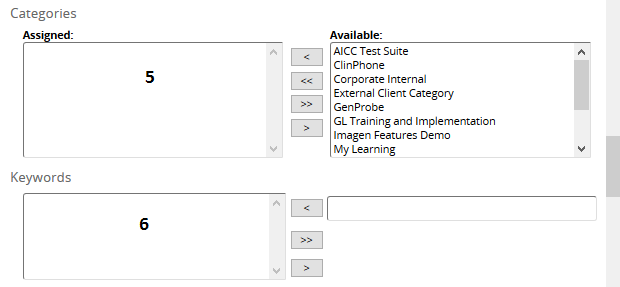
- Add Categories to the object for filtering.
- Add Keywords for filtering.
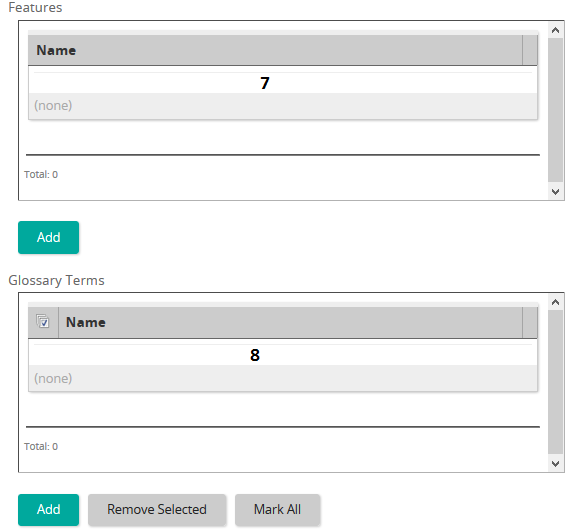
- Add desired features to the content object.
- Add desired glossary terms to the content object.
- Click Add (top of the page) to add the content object to Rival Learn.
Next step: Author the content object.
Rebuilt from the legacy Help Center on 2026-10-01: the Flare copy repeated its steps. Not yet reviewed against the current product. Source: https://srt-learning-help.silkroad.com/#/home/28153/en/std