Media Bank Upload page
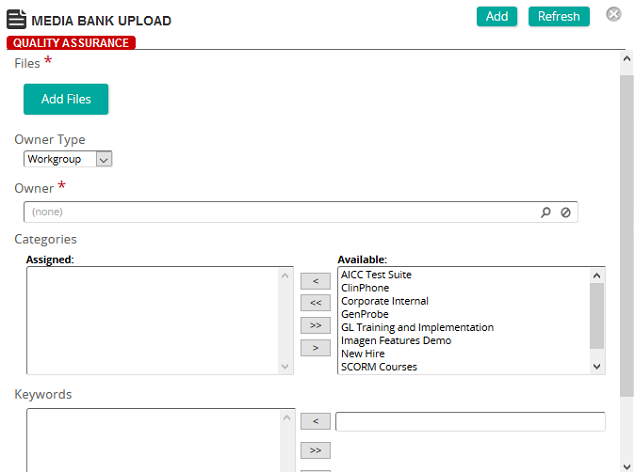
On the Media Bank Upload page, you select a media file to upload and then define its properties.
Fields
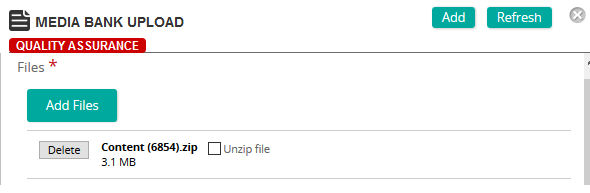
Files: Click Add Files to browse to find media file(s) to upload. A progress bar shows the progress of each media file upload. You can upload more than one media file at a time. You can even upload a compressed file and have the files unzip by selecting the Unzip file check box:
Owner Type: Assign ownership of the media file by selecting one of the following types:
- Workgroup
- Current User
- Administrator
- Owner: Click
 to search for an select the owner for the media file.
Note: This field only appears if Workgroup or Administrator is selected in Owner Type.
Categories: To assign categories, click a category or categories from the Available list and use the arrow buttons to move them to the Assigned list.
Keywords: To assign a keyword, type a keyword. Click the left arrow to add the keyword to the list. Repeat for each keyword that you want to assign.
Copyright: Type the copyright information for the media file.