Learning Journey Properties page
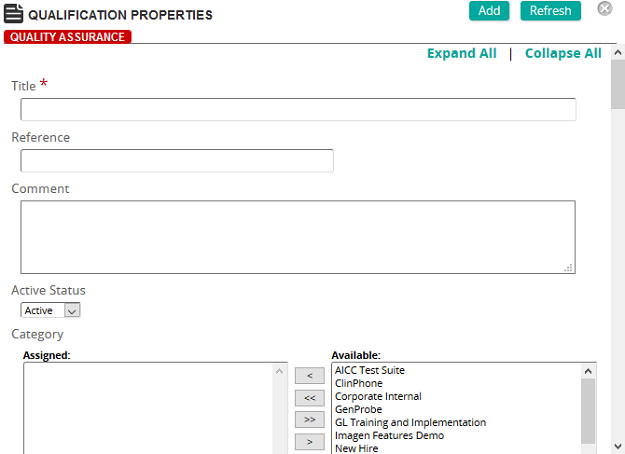
On this page, an administrator defines the properties for a learning journey.
Fields
Title: Type the title of the learning journey.
Reference: Type a reference for this item to make it easier to find in searches.
Comment: Type a comment. The comment appears in the Learning Journey for students to describe the learning journey.
Active Status: Select Active or Inactive.
Categories: To assign categories, click a category or categories from the Available list and use the arrow buttons to move them to the Assigned list.
Categories are used to group similar learning journeys and display them as a collapsible group in the Learning Journey.
Certification: Certification and Recertification periods are used to define the time frame that students must certify or renew certifications for specific training content, requirements, or competencies. Notifications appear on the Student Home page as a "Recertification Due" notification, or as a personal notification sent directly to the student based on a defined recertification notification.
Certification and Recertification time periods can be applied to the contents of a learning journey for specific content, requirements, or competencies.
Membership Inclusion
Membership Exclusion
- Individual Inclusion and Individual Exclusion: These fields provide a way to personalize the development plan for an individual student.
Tip: Use individual inclusion/exclusion methods ONLY when an individual requires the learning journey based on reasons other than their membership in a job, job category, group, or organizational unit.