Rival Help CenterLearn Admin

Visual display of progress

Rival Learn combines attempt progress status and objective satisfied status and uses the following colors to display status within the Activity Tree Menu.
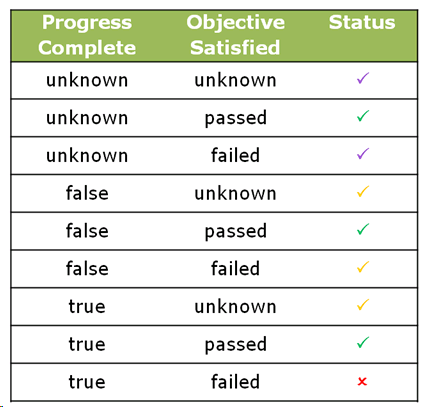
A table matching Progress Complete and Objective Satisfied values to a status icon, such as a check mark or a red cross

This is an example of the colors being used in an Activity Tree Menu.
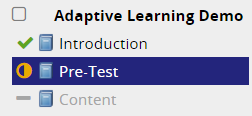
A course outline with a check beside Introduction, a half-filled icon beside Pre-Test and a dash beside Content