Help CenterLearn AdminEnterprise: Configure and manage Rival LearnAdminInstructorsInstructor qualifications
Instructor Qualification Properties page
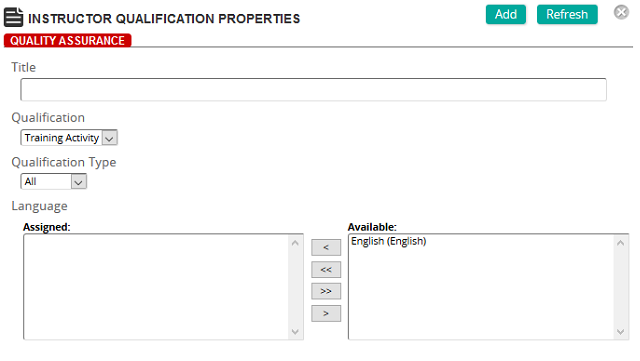
On the Instructor Qualification Properties page, you define a qualification.
Fields
Title: Enter a title for the qualification rule.
Qualification: Select a qualification type, for example, Training Activity.
Qualification Type: Select one of the following options:
- All: The instructor is qualified to teach all training activities in the system
- Criteria: Limit qualification rule by language or category or both
- Selection: Define one or more specific training activities that can be taught by the instructor
Languages: To assign languages, click a language or languages from the Available list and use the arrow buttons to move them to the Assigned list.
Categories: To assign categories, click a category or categories from the Available list and use the arrow buttons to move them to the Assigned list.
Training Activity: If Qualification Type is Selection, you can select one or more specific training activities that can be taught by the instructor.