Student Training Event Surveys page
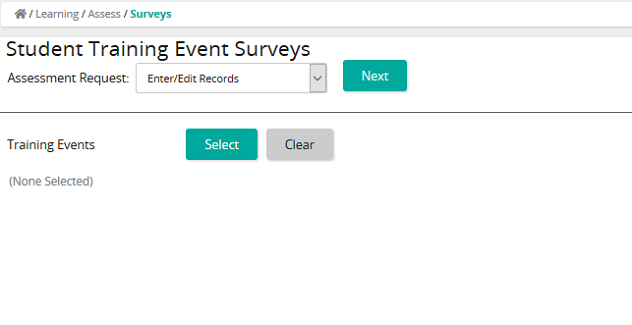
On the Student Training Event Surveys page, an administrator can:
- Enter survey data for a training event
- Modify survey data for a training event
- Delete survey data for a training event
Fields
Assessment Request: Select one of the following:
- Enter/Edit Records
- Delete Existing Records
- Training Events: Click Select to access the Training Events page where you can search for and select training events. Click Clear to remove the selected training events from the list.Note: Past events are shown by default.
Training Events: Click Select to access the Training Events page where you can search for and select training events. Click Clear to remove the selected training events from the list.Note: Past events are shown by default.