Vendor Properties page
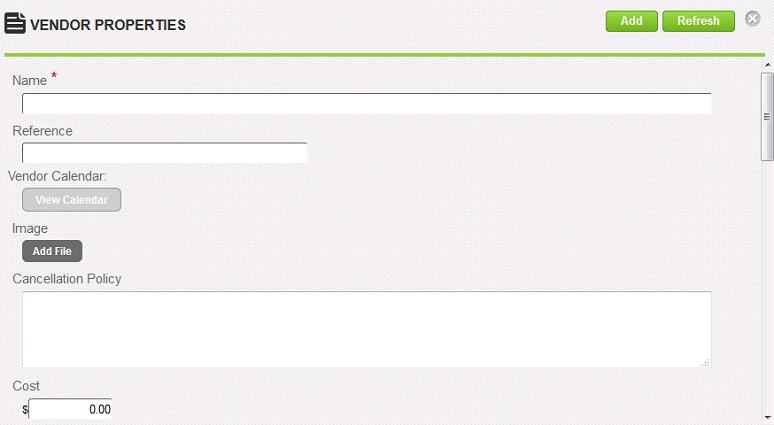
On the Vendor Properties page, you define properties for a vendor.
Fields
Name: Type the name of the vendor.
Reference: Type a reference for this item to make it easier to find in searches.
Vendor Calendar: Click View Calendar to view dates for the vendor.
Image: Click Add File to upload a vendor image. A progress bar shows the progress of the image upload. Once uploaded, a thumbnail image and file size are shown along with a Delete button.
Cancellation Policy: Type the vendor's cancellation policy.
Cost: Type the amount that the vendor charges.
Per: Select the cost unit, either Per Day or Per Hour.
Cellular: Type the vendor's mobile number.
Pager: Type the vendor's pager number.
Address: Type the vendor's address.
City: Type the vendor's city.
State/Province: Type the vendor's state or province.
Country: Type the vendor's country.
Zip/Postal Code: Type the vendors zip/postal code.
Learning Journeys: Type the learning journeys the vendor has.
Notes: Type any free-text notes or additional information about the vendor.
Contact Name: Type the name of a contact person at the vendor.
Contact Phone: Type the phone number of the contact person at the vendor.
Contact Email: Type the email address of the contact person at the vendor.
Contact Website: Type the vendor's website address.