Students page
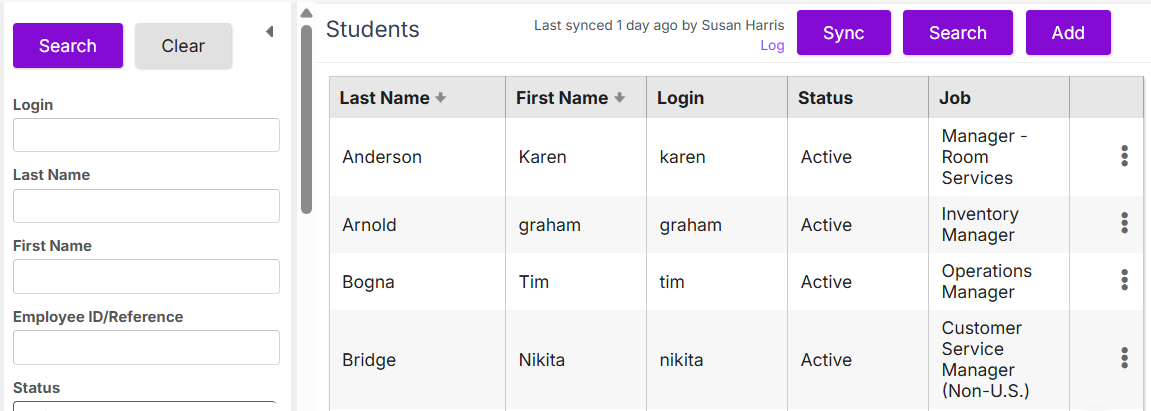
The Students page shows the students available in Rival Learn. On this page, you can:
- Use the search function to find a specific student or students
- Sync students from Workflow
- Add a student
- Access the Student Properties page to make changes to existing students
- Define the supervisor/subordinate relationship
- Delete a student