Content Object Authoring page
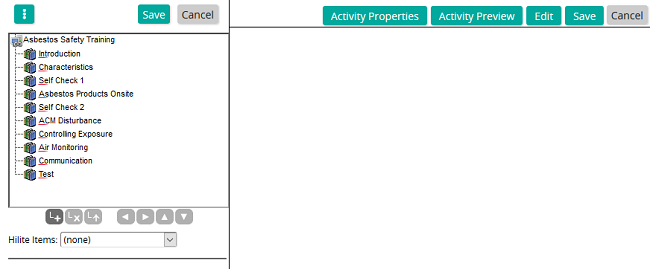
On the Content Object Authoring page, you author an object.
The Activity tree is on the left side of the page. This is where you add activities to the content object to build the menu. The system adds a new activity to the top of the tree. Activities are added from the top down. Use the buttons at the bottom of the panel to add, remove, or move an activity.
Activity tree buttons
 | Inserts an activity into the content structure |
 | Removes selected activity |
 | Promotes selected activity to a linked content object |
 | Moves the selected activity left in the content structure |
 | Moves the selected activity right in the content structure |
 | Moves the selected activity up in the content structure |
 | Moves the selected activity down in the content structure |