Help CenterLearn AdminSPOTLIGHTSAdding eLearning content from outside of Rival LearnStep 1: Importing your content
Importing SCORM content
The Library Import feature gives instructional designers and content creators the ability to import SCORM or AICC compliant files to the library.
To import a SCORM or AICC zip file, do the following:
- From the navigation bar, click Content.
- Under Library, click Import. The Client Import page opens.
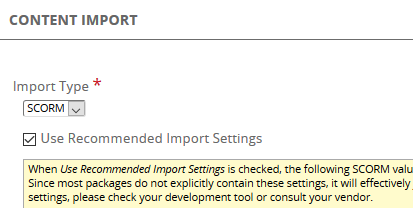
- Click the Import Type and select either SCORM or AICC.
- Leave the box, "Use Recommended Import Settings" checked. These are the recommended settings for these types of files.
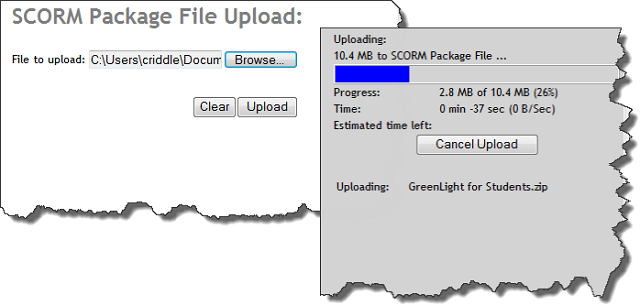
- Browse for the zip file and click Upload.
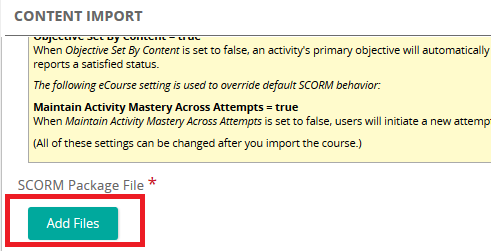
- When the zip file appears in the SCORM Package File box, click Add Files to import the file into the library. A progress bar appears. When complete, the zip file name and size is shown along with a Delete button in case you need to delete and re-upload. Rival Learn imports three items:
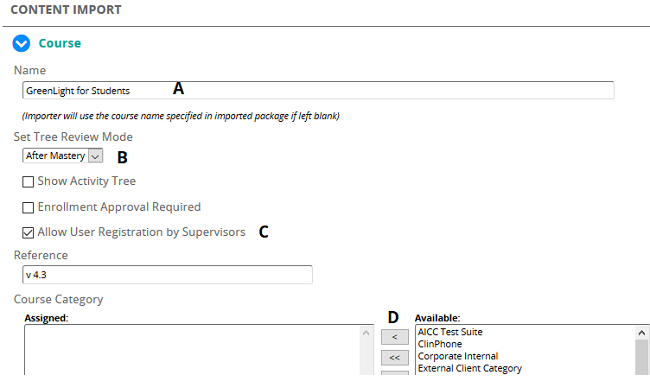
- Under Course, complete the following:
- Enter the course name in the Name text box.
- Click the Set Tree Review Mode drop-down arrow and determine if the student can review the course:
- After Mastery (The course moves to History and student can review it from the History page.)
- Always (The course remains on My Training and data is not tracked)
- Never (The course remains on My Training, data is tracked but mastery is not recorded)
- Enter a reference.
- Click an available Category and assign it to the content object.
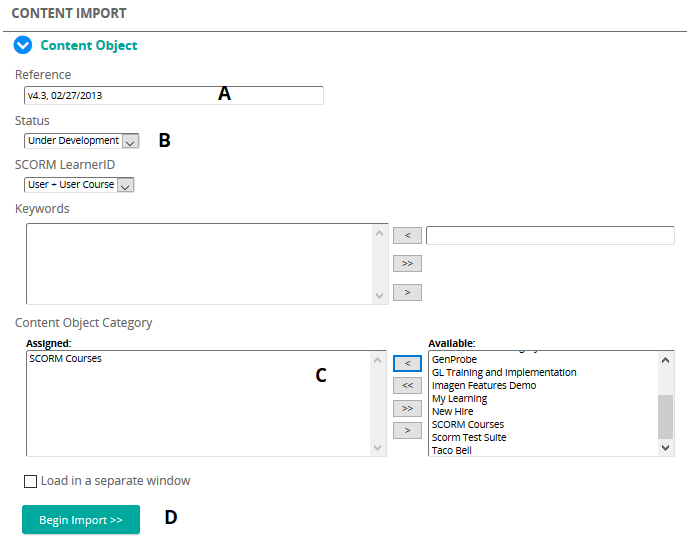
- Under Content Object, complete the following:
- Enter a reference.
- Click the Status drop-down arrow and select the status of the objects:
- Under Development – still being developed.
- Staging – ready to be reviewed.
- Approved – final version.
- Under Available, select a category and assign it to the content object. (used for filtering)
- Click Begin Import. The system confirms the import.
Rebuilt from the legacy Help Center on 2026-10-01: the Flare copy repeated its steps. Not yet reviewed against the current product. Source: https://srt-learning-help.silkroad.com/#/home/28060/en/std