Candidate search
Searching for candidates in Rival Recruit is a task you do often. Rival Recruit has flexible search options to make searching easy. Boolean search logic is supported.
| Search option | Description |
|---|---|
| Quick search | Quick search is a fast way to find a candidate. In the header at the top of a page, toggle the quick search bar to Candidates. Then type a candidate's name and press Enter. |
| Advanced Search | Use filters, keywords, Boolean search logic to find what you are looking for. |
| Basic search | Basic searches are default system searches. There are two:
Basic searches are available from the Candidate Pool page. |
| My searches | My searches are searches that you created and saved. My searches are available from the Candidate Pool page. |
| Recent searches | Recent searches are your last 10 most recent searches—excluding basic and your saved My search searches. Recent searches are available from the Candidate Pool page. |
Filters
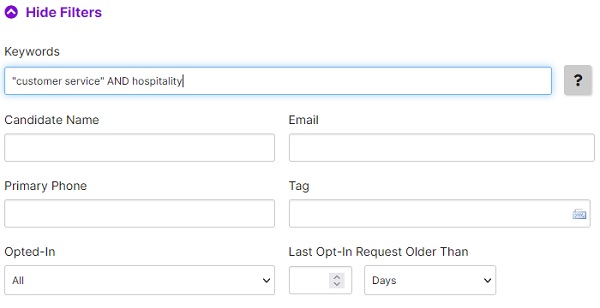
Search filters help you narrow the scope of a candidate search. By using filters, you get a subset of candidates (the subset you really want) rather than all candidates.
Search result columns
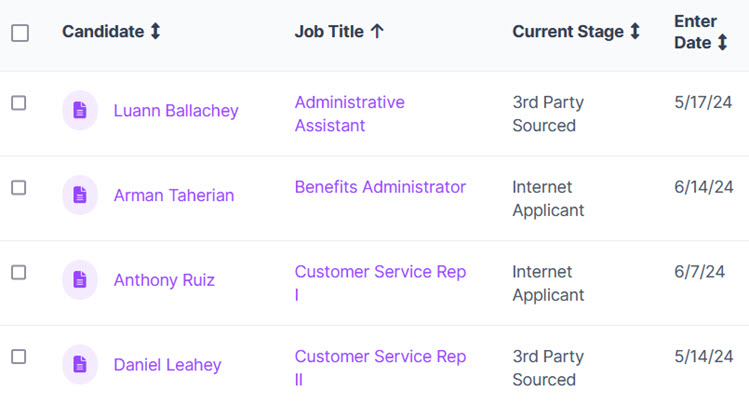
Search results appear in a data grid. Some columns are included by default, but you can add additional columns to meet your needs.
Columns with up and down arrows are sortable. A column with one arrow means that column is sorted.