Tags
A tag is a way to identify or categorize a candidate so that you can easily filter on them. You may want to tag a candidate based on a specific skill, education, region, or any other attribute.
Example: You are looking for candidates who have SQL experience, have an impressive resume, and prefer remote work. You could create those three tags and assign them to candidates who fit that criteria. On the Candidate Pool page, you can then filter to view only candidates who have those tags.
Key info
- You work with tags in two places in the system: candidate profile and Candidate Pool page. The candidate profile works best when dealing with a specific candidate while the Candidate Pool page works best for multiple candidates (bulk action).
- You can assign tags to candidates, remove tags from candidates, replace all tags assigned to candidates, and remove all tags from candidates.
- If tags are assigned to a candidate, you'll see them on the candidate profile:
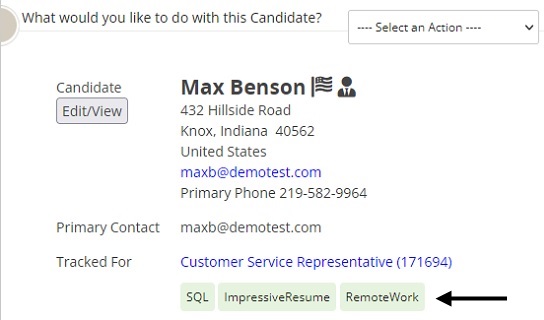
- You can filter candidates by tags.
Good to know
Tags can be up to 100 characters. Tags can contain letters, numbers, and spaces. Tags cannot contain special characters.
- There is no limit on how many tags you can assign to a candidate profile.
- The system removes tags that are not assigned to at least one candidate. This means your tag list does not get unruly with unused tags.