Rival Help Center
Recruit
/
Contents
Welcome to Recruit
Recruit for your ATS
Getting Started
Navigating Recruit
Sign In & Access
My Account
ROSI Overview
ROSI Copilot
Task List
Perform a resume review
Review and approve an offer
Review and reject an offer
Review and approve a requisition
Review and reject a requisition
Reporting & Analytics
Reporting & Analytics overview
Tiers
Assign a reporting tier to a user
View tier assignments
Quick look: Reporting & Analytics UI
Filters
Dashboard actions
Tile actions
Column actions
Folders
Looks
Access (view) a Look
Save a report as a Look
Make a Look a favorite
Edit a Look
Download a Look
Schedule a Look for delivery
Delete a Look
Analytics Overview
View your Homepage Analytics dashboard
Dashboards
Access (view) a dashboard
Save a report to a new dashboard
Save a report to an existing dashboard
Make a dashboard a favorite
Edit a dashboard
Download a dashboard
Schedule a dashboard for delivery
Delete a dashboard
Analytics Library
Run a standard report
Download a standard report
Download a standard report's tile
Expanded Analytics
Custom Analytics
Custom reports
Custom Analytics data and dimensions
Conversational Analytics
Hiring Insights
Jobs
Requisitions
Creating and approving requisitions
Requisitions
Create Requisitions page
Create a requisition
Print requisition details
Requisition approval paths
Create a sequential approval path for a requisition
Create a non-sequential approval path for a requisition
Managing and editing requisitions
Edit a requisition
View requisition approval details
Edit requisition approval details
Post an approved requisition
Print requisition approval details
Review a job posting's requisition details
ROSI Job Descriptions
Job postings
Searching for job postings
Job search
Search for a job (quick search)
Search for a job
Save a job search to use later
Export job search results to a Microsoft Excel file
Search for a job using a saved search
Make a saved job search the default quick search
Make a saved job search the default search
Make a saved job search the default job count search
Delete a saved job search
Select columns for job search results
Remove columns from job search results
Working with job postings
Job postings overview
Creating job postings
Create Job Posting page
Create a job posting
Add a rule to automatically change job posting status
Embedding videos in job postings
Embed a video in a job posting
Add an attachment to a job posting
Select evaluation questions
Further defining the question settings
Limited job postings
Limited job postings
Send a candidate a link to a limited job posting
Add a rule to change the job posting status of a limited job posting
Remote job location
Evergreen jobs
Post job via social media
Managing and editing job postings
Edit a job posting
Change a job's status
Clone a job posting
Add additional locations to an existing job posting
Remove additional locations from an existing job posting
View an attachment on a job posting
Remove an attachment from a job posting
Posted Date vs. Original Posting Date field
Print job posting details
Activating, reassigning, and removing jobs
Activate a job
Deactivate (close) a job
Closing an evergreen job permanently
Reassign jobs to another recruiter (bulk reassign)
Reassign jobs to another recruiting manager (bulk reassign)
Reassign jobs to another hiring manager (bulk reassign)
Assign jobs to a fee agency (bulk assign)
Remove jobs from a fee agency (bulk remove)
Reassign jobs to a different business unit
Reassign jobs to a different company location
Reassign jobs to a different department
Reassign jobs to a different job category
Reassign the replies to email notification for jobs to a different user (bulk reassign)
Turn off (disable) the replies to email notification for jobs (bulk reassign)
Job Details Page
Tracking jobs
Job Tracking (Classic) page
Hot match and job score
View job offers
Source with ROSI
Search Builder
Filters
Search Summary
Talent pool insights
Profile
Likely to move overview
Similar candidates
Source with ROSI (open search)
Source with ROSI for a job posting
ROSI Skills Match
Import a passive candidate into Rival Recruit
Import multiple passive candidates into Rival Recruit (bulk import)
ROSI Outreach
Search Chrome Extension
View a list of passive candidate profiles imported today
Automated email notification on candidate import
ATS Integrations
Candidates
Candidate Pool
Candidate search
Boolean search
Search for a candidate (quick search)
Search for a candidate
Filter out candidates who have been hired or otherwise disqualified
Create a default search for candidates
Create a default quick search for candidates
Create a default resume count search for candidates
Export candidate search results to a Microsoft Excel file
Search for a candidate using a saved search
Make a saved candidate search the default quick search
Make a saved candidate search the default search
Make a saved candidate search the default resume count search
Delete a saved candidate search
Search for all resumes entered in the last 90 days (basic search)
Search for all resumes entered today (basic search)
Search for candidates using a recent search
Search for candidates not associated with a job
Add columns for candidate search results
Remove columns from candidate search results
Candidate profile
Indeed Source Path
View a candidate's resume
Scroll through resumes on candidate profile
ROSI Outreach from Candidate Profile
Candidate profile action menu
Initiate Onboarding from candidate profile
Add comments to a profile
Request a review
Schedule an interview
Send email
Create a new profile
Change a candidate to a different job
View or update employee profile (My Account)
Access a candidate's EEO profile
Evaluate (rank) a candidate
Create rejection letter
Create offer letter
Initiate Checkr Background Check
Review background checks using Checkr
Initiate assessment request
Set a reminder
Print profile
Download a profile
Delete a profile
Change a candidate's disposition (from action menu)
Remove a candidate's disposition (from action menu)
Add Contact Notes
Candidates
Hiring stages
Move a candidate through hiring stages
Add comments to multiple candidate profiles (bulk action)
Uploading candidates
Upload a resume from a local file
Access (view) employee referrals
View or update an EEO profile
Internal employee icon
Veteran icon
Recycle bin
Restore candidates from the recycle bin
Search candidate records within the recycle bin
Purge candidates from recycle bin
Tags
Tags
Assign a tag or tags to a candidate
Assign a tag to multiple candidates (bulk action)
Remove a tag or tags from a candidate
Remove tags from multiple candidates (bulk action)
Replace all tags assigned to a candidate
Replace all tags assigned to multiple candidates (bulk action)
Remove all tags from a candidate
Remove all tags from multiple candidates (bulk action)
Filter candidates by tags
Transition from folders to tags
Managing candidates
Change a candidate’s hiring stage
Reassign candidates to another job posting
Disposition candidates
Remove a candidate's disposition
Send emails to candidates
Delete candidates
Set a basic qualification status for candidates
Managing employee referrals
Setting up the employee referral application option
Employee Referrals page
Access (view) employee referrals
Sort employee referral candidates
Take action on employee referral candidates
Candidate hiring process
Hiring process overview
Selecting candidates for review
Select a single candidate for review
Select multiple candidates for review
Review requests
View resume review requests
Perform a resume review on your Task List
Review resumes on the Reviewed Resumes page
Disposition a candidate during a review request
Remove completed review requests
Interview requests
Requirements for viewing interviewer availability
Create a Rival Recruit interview
Create an interview conducted outside of Rival Recruit
Add interview schedule to your MS Outlook calendar
Reschedule an interview request
Reply to an interview request email notification
Complete an interview request
Edit interview feedback
Remove completed interview requests
Offers
View job offers
Generate a candidate offer (Initiate offer approval process)
Modify offer approval information
View existing job offers and offer information
Edit candidate hiring information
Interviews Management
Set up Interview Scheduling
Schedule a panel interview
Schedule a sequential interview
Manage interviews
Interview scheduling for candidates
Complete interview questions during an interview
Administration
AAP job groups
Manage/edit AAP job groups
Business units
Add a new business unit
Edit an existing business unit
Deactivate an existing business unit
Company locations
Add a new company location
Edit an existing company location
Deactivate an existing company location
Create a worldwide remote location
Create a countrywide remote location
Create a statewide remote location
Departments
Add a new department
Edit an existing department
Deactivate an existing department
Email
Create a new email template
Edit an email template
Refine email template with ROSI
Delete an email template
Use merge fields in email messages
Merge fields for email
Evaluation questions
Evaluation question categories
Create a new evaluation question category
Edit an evaluation question category
Delete an evaluation question category
Evaluation questions
Create an evaluation question
Edit an evaluation question
Add evaluation questions to a job template
Calculating evaluation questions scores
Ranking criteria
Create ranking criteria
Edit ranking criteria
Delete ranking criteria
Fee agencies
Create a fee agency
Deactivate a fee agency
Activate a fee agency
Send an email to a fee agency
Access (view) jobs assigned to a fee agency
Access (view) resumes submitted by a fee agency
Export candidate search results to a Microsoft Excel file
Job categories
Add a new job category
Edit an existing job category
Deactivate an existing job category
Job template
Create a new job template
Edit an existing job template
Deactivate an existing job template
Create an approval workflow for a job template
Managing resources and related lists
Resources
Alternate resources
Create a new resource
Edit an existing resource
Deactivate an existing resource
Job boards
Responsibility for job board accounts
Free job distribution network
Supported job boards
Configure a job board
Request a new job board
Remove (deactivate) a job board posting integration
Maintain job board login credentials
Job board posting permissions
Posting a job to an internet job board
Post a newly created job to a job board
Post a job that has already been created
Post to Monster RTP (additional steps)
Job posting headers and footers
Typical job posting page
Changing headers and footers
Offer and rejection letter templates
View an offer letter or rejection letter template
Delete an offer/rejection letter template
Download an offer/rejection letter template (make it your own)
Edit offer/rejection letter templates (with merge fields)
Standard merge fields (system-generated) for offer/rejection letter
Upload an offer/rejection letter template into Rival Recruit
Settings
Settings page
Email for outages and upgrades
Enter contact information for outages and upgrades
BETA Features
PII anonymization for imported pipeline candidates
Rival Workflow integration
Enter Rival Workflow integration information
Duplicate candidate search
Select fields for duplicate candidate search
Custom tracking code
Set tracking code
JobTarget integration
Turn on JobTarget integration
Recruiter-initiated assessments
Turn on recruiter-initiated assessment
Candidate upload field controls
Set a required field when uploading/editing candidate profile
Enable cookie policy acknowledgement message
Set resume search options
Turn on the Reviewed Resumes page for hiring managers
Turn on Linkedin integration
Turn on Checkr Integration
Turn on setting to send salary information in the Indeed nightly feed
Set up review request options
Select fields to hide when creating requisitions
Mark fields as required when creating requisitions
Select fields to hide when creating job postings
Displayed Job Fields: Mark fields as required or displayed when creating or viewing job postings
Select fields to hide on the requisition approval email
Select fields to hide on the requisition approval card
Select fields to hide on the offer approval email
Select fields to hide on the offer approval card
Select fields to hide on Move Resume and Edit Offer Information pages
Mark fields as required on Move Resume and Edit Offer Information pages
Select fields to hide on the Edit Hiring Information page
Mark fields as required on the Edit Hiring Information page
Remove reply-to email address from system emails
Select users to receive eForm completion notification emails
Lock job template fields
Lock offers to prevent editing during approval process
Lock requisitions to prevent editing during approval process
Set available hiring stages by role
Set evergreen job postings setting
Turn on the remote job location functionality
EEO Info
Enable a non-binary option for candidate gender question
Turn on the veteran icon
Turn on automatic job posting status change rules
ROSI Copilot
ROSI Outreach
ROSI Sourcing
Turn on automatic disposition for hired candidates
Turn on automatic disposition for candidates ineligible for hire/rehire
User accounts
Roles
Assign a role to a user
Change a user's role
User permissions
Administer User Accounts page
Add a new user
Edit a user account
Edit multiple user accounts (bulk update)
Associate company locations to a user
Change the time zone on a user account
Add Workflow permission to a user
Assign user permission to change hiring stage
Assign user permission to disposition candidate during a review request
Show Modify Hiree Information link on candidate profile
Remove Modify Hiree Information link from candidate profile
Show Modify Offer Information link on candidate profile
Remove Modify Offer Information link from candidate profile
Assign user permission to approve requisition or offer
Assign user permission to create job postings
Assign user permission to source passive candidates
Password rules
Reports (Legacy)
Standard reporting (Legacy)
Equal opportunity and OFCCP compliance reporting
Job Cycle Time
OFCCP reports
Requisition and job reporting
Applicant reporting
Budgeting and fee reporting
Candidate reporting
Rival Recruit user reporting
Interactive reporting
Custom reporting
Custom report
Requesting a custom report
My Reports page (Legacy)
Run a My Report
Reporting roles and report access
Reporting roles
Manage report access for a role
Report Builder (Legacy)
Create a report using Report Builder
Run a saved Report Builder report
Delete a saved Report Builder report
Recruiting teams
Recruiting teams overview and benefits
Add a recruiting team to existing job posting
Integrations and add-ons
Candidate Experience Help system
Internal Career Site Flag
Applicant interface redesign and content changes
ePostings and iPosting sites
Applicant interface redesign
Requesting content changes
Requesting changes to auto-reply messages
Candidate submission process
Custom electronic forms (eForms)
eForms overview
Collect eForms from candidates using email
Collect eForms from candidates up front
Managing collected eForms
View collected eForms
Download collected eForms
Edit collected eForms
HRIS integration and compliance functionality
HRIS integration
Data from Rival Recruit to an internal system
Data from an internal system to Rival Recruit
Change management
Compliance-related functionality for federal contractors
Additional updates
Broadbean or JobTarget integration
Sending a job to Broadbean or JobTarget
Posting a new job to Broadbean or JobTarget (initial creation)
Posting an existing job to Broadbean or JobTarget
Broadbean posting process
Step-1 Choose job boards
Step-2 Posting details
Step-3 Preview and send
Posting field details
Viewing the status of posted jobs
Job board status column field details
Re-post job to Broadbean
Deactivate/remove a Broadbean job
Access AdCourier (the Broadbean standalone app)
JobTarget posting process
Automatically pull deactivated or closed jobs from job boards
Managing Broadbean, JobTarget postings
Manage a Broadbean job posting
Manage a JobTarget posting
EmployeeReferrals.com integration
EmployeeReferrals.com jobs
EmployeeReferrals.com active job feed
Background checks
Checkr Integration Overview
Order background check using Checkr
International searches and verifications
Background check provider integration
Initiate a background check request
Review the status of a background check
Support & Resources
Release notes
Supplemental guides
Help Center
Recruit
Candidates
Candidate profile
Scroll through resumes on candidate profile
Access a candidate's candidate profile.
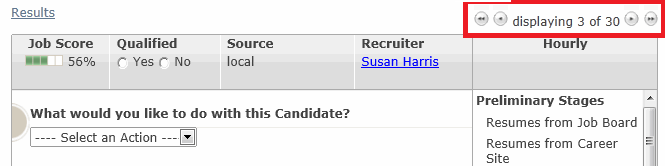
Click the navigation icons to scroll forward or backward through candidate profiles.