Search Chrome Extension
The Recruit Search Chrome Extension brings Recruit’s sourcing tools into your browser, making it easy to view and import candidate profiles directly from LinkedIn, GitHub, and 30+ other sourcing sites—without switching tabs or losing context. You get the speed of one-click import and the power of Recruit’s AI insights, right where you work.
What You Can Do
- View enriched candidate profiles without leaving the site
- Export to Recruit or your connected ATS (e.g. Lever, Workday, Greenhouse)
- Download profiles as PDFs for sharing or offline use
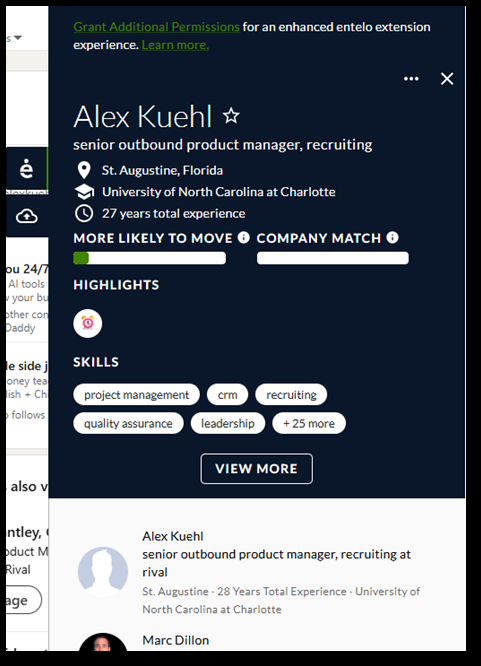
- See AI-generated "Likely to Move" and Match Scores
- Find similar candidates instantly with AI suggestions
How to Install
- In Google Chrome, go to the Source with ROSI page in Recruit.
- Click Install Extension and follow the Chrome prompts.

- Click Sign In to Extension:
- Recruit ATS users are signed in automatically.
- Recruit ATS Add-on users sign in with their credentials.

How to Use It
- Open a supported site (e.g. LinkedIn).
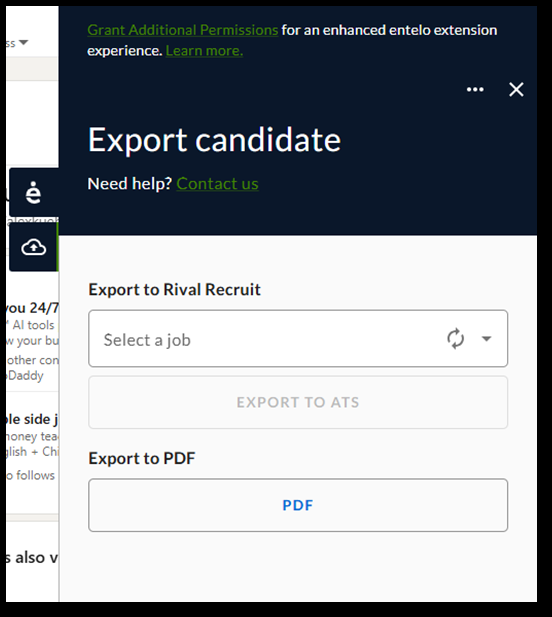
- Click the Search Extension icon in your Chrome browser to view candidate insights: ‘e’ tab for insights, download cloud to export.

- Export to Recruit or your ATS, or download as PDF.
- Select a specific job to link to or choose ‘General Export’.
- In the Candidate Resume Profile, Source will show as ‘Passive Candidate Search’. Candidate’s Resume/CV information will appear in Resume/CV.