Initiate Checkr Background Check
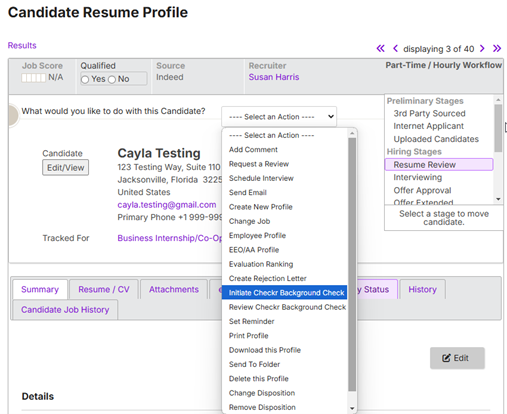
- On the Profile page of the candidate for whom you want to initiate a background check, click on the Select an Action drop-down menu, and select Initiate Checkr Background Check.
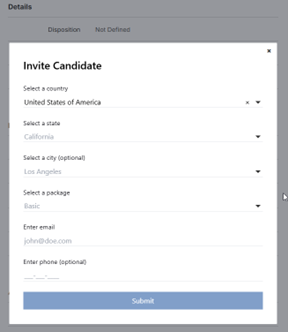
- The Invite Candidate pop-up will appear. Complete the relevant information and selections and click Submit.
- Once the background check invite has been submitted, you will land back on the candidate profile page.