Help CenterRecruitReporting & AnalyticsReporting & Analytics overviewQuick look: Reporting & Analytics UI
Dashboard actions
Dashboard actions are available when you click  on a dashboard.
Tip: Action options are controlled by the tier assigned to your user profile.
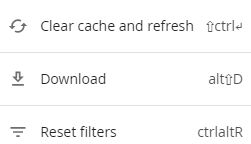
| This action: | Does this: |
|---|---|
| Clear cache & refresh | Clears the cache and refreshes the data. |
| Download | Downloads the report to your computer. |
| Reset filters | Change any of the filters to get a different take on the report. From the dashboard menu, click  to update/reload report results. to update/reload report results. |