Help CenterRecruitJobsJob postingsWorking with job postingsActivating, reassigning, and removing jobs
Closing an evergreen job permanently
If you decide you do not want to hire for an evergreen job any longer—perhaps you hired everyone you need—you can close it permanently.
Closing an evergreen job is similar to closing other jobs. After you move a candidate to the hired stage, close the job on the Move Resume page. There is additional option for evergreen jobs:
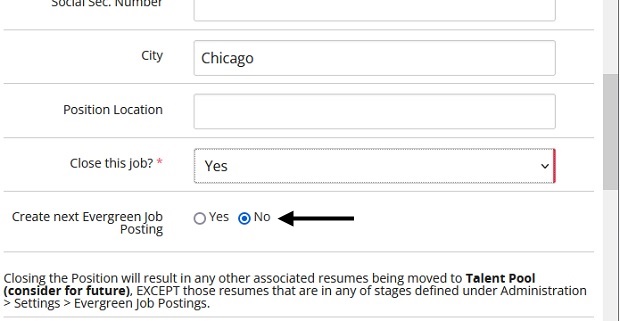
For the Create next Evergreen Job Posting option, select No. On the confirmation pop-up page, click OK. The evergreen job is closed and no more applicants can be hired for that job. The job becomes the last job shown for this position on the Evergreen Job Postings report.