Refine Email Templates with ROSI
Refine with ROSI helps Recruiting Managers & Administrators improve email templates by automatically enhancing message quality while preserving the original intent.
ROSI can refine both new and existing templates to improve clarity, tone, and engagement—making it easier to create consistent, professional communication at scale.
What ROSI improves
- Clarity and readability
- Professional tone and consistency
- Grammar and formatting
- Overall engagement, while preserving your original message
Where to find it
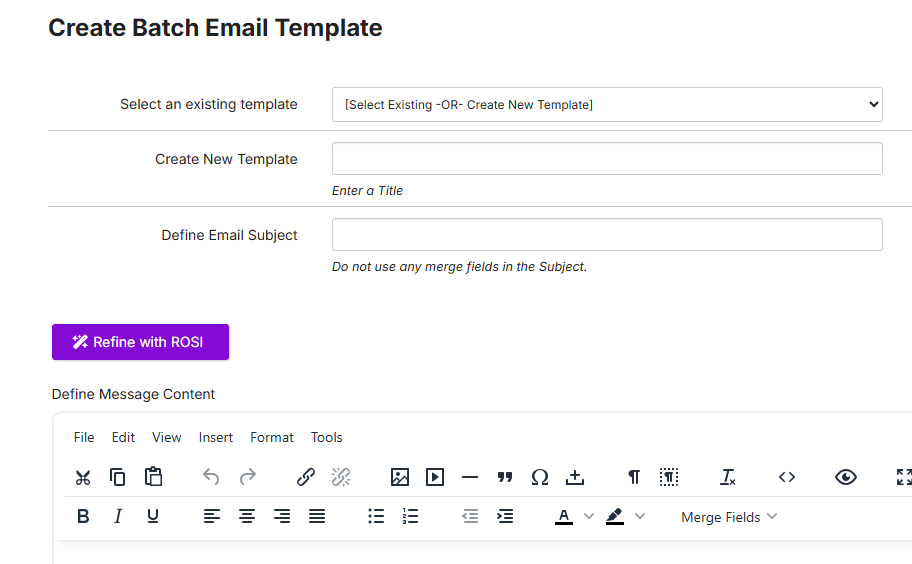
Go to Administration > Email Templates.
When enabled, the Refine with ROSI button is available when creating or editing a batch email template.
How it works
- Go to Administration > Email Templates.
- Select an existing template or draft a new message.
- Click Refine with ROSI.
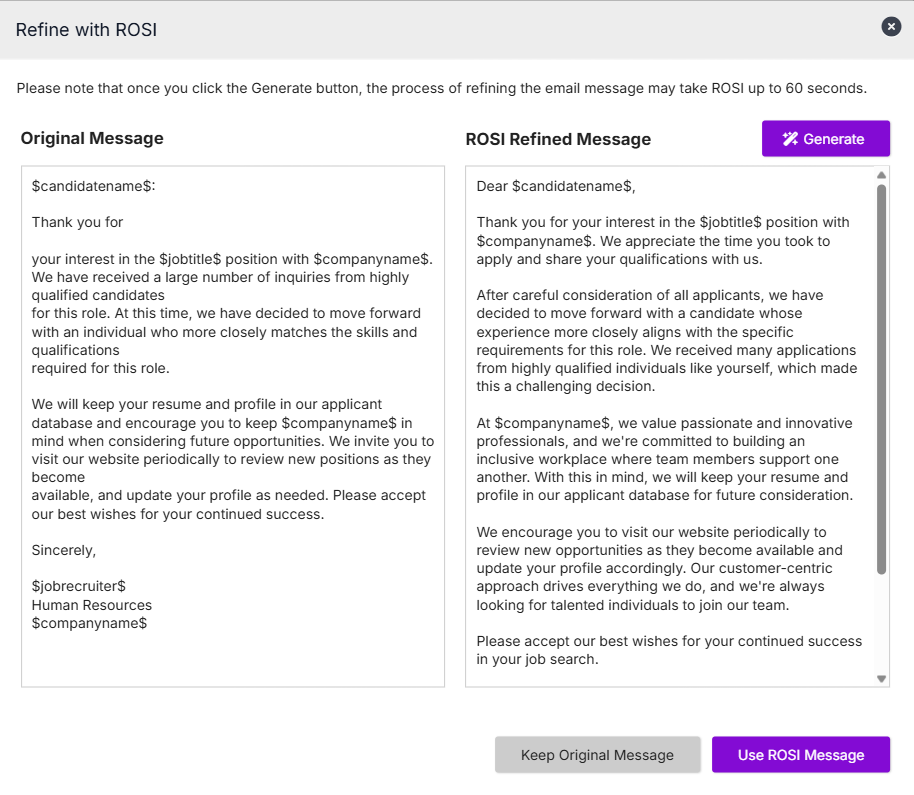
- In the refinement window, click Generate to create a refined version.
- Review the results:
- Original Message appears on the left
- ROSI Refined Message appears on the right
- Choose Use ROSI Message to apply the changes, or Keep Original Message to keep your existing content.
- Continue editing as needed, then preview or save the template.
 |  |
What to expect
- Merge fields (for example, candidate or job tokens) are preserved in the refined message
- Supports both plain text and HTML email templates
- When refining HTML email templates, ROSI preserves the overall structure and formatting. However, complex custom HTML styling may be simplified in the refined version. Review the output carefully before applying changes to heavily styled templates.
- You can refine the same template multiple times — each refinement generates a new version based on the current content
- Refined content may reflect tone and language aligned with your organization's configuration
- If a refined message cannot be generated, you may be prompted to try again
Enablement
Refine with ROSI is available when enabled for your organization. Administrators can manage availability in Administration > Settings > ROSI Features > ROSI Email Template Refinement.
NOTE: Access to Email Templates is typically configured for Recruiting Managers & Administrator users only.