Feedback dashboard
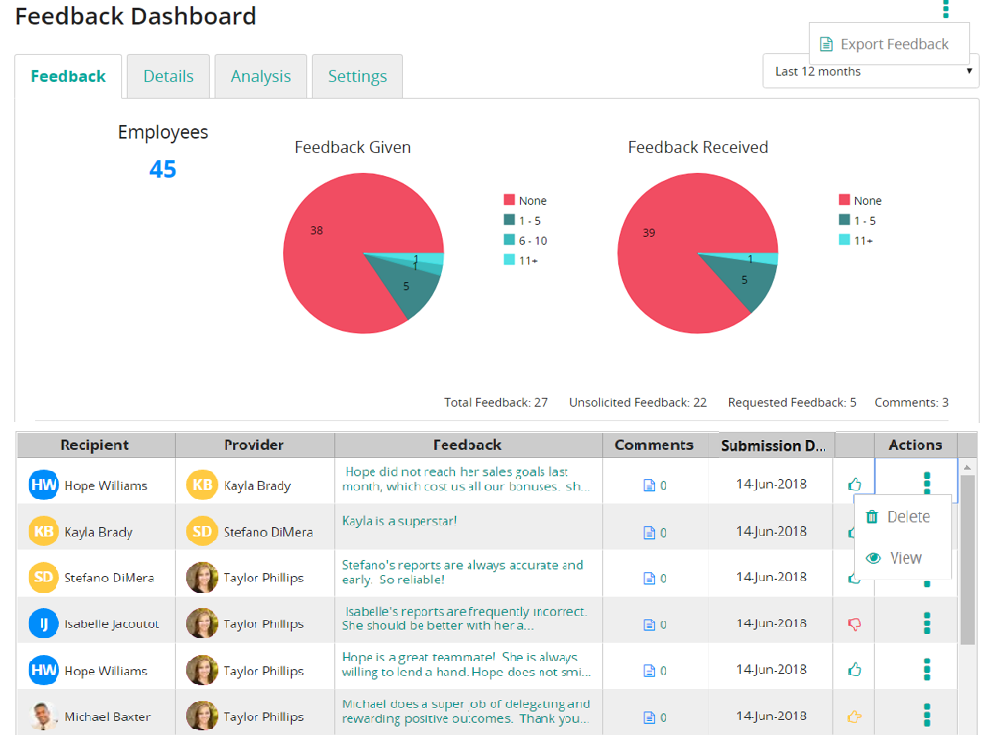
Use this dashboard to gain insights about how employees are using feedback within your organization. The pie charts, legends, and summary counts can help you identify the number of employees in your organization and determine how many of them have given and received feedback.
The data grid shows employee and employee's manager along with a tally of unsolicited feedback given, requested feedback given, unsolicited feedback received, and requested feedback received.
The Details tab shows all the feedback, including the actual feedback text and an indication of whether the feedback is positive, neutral, or negative (thumb icons).