Goal Detail page
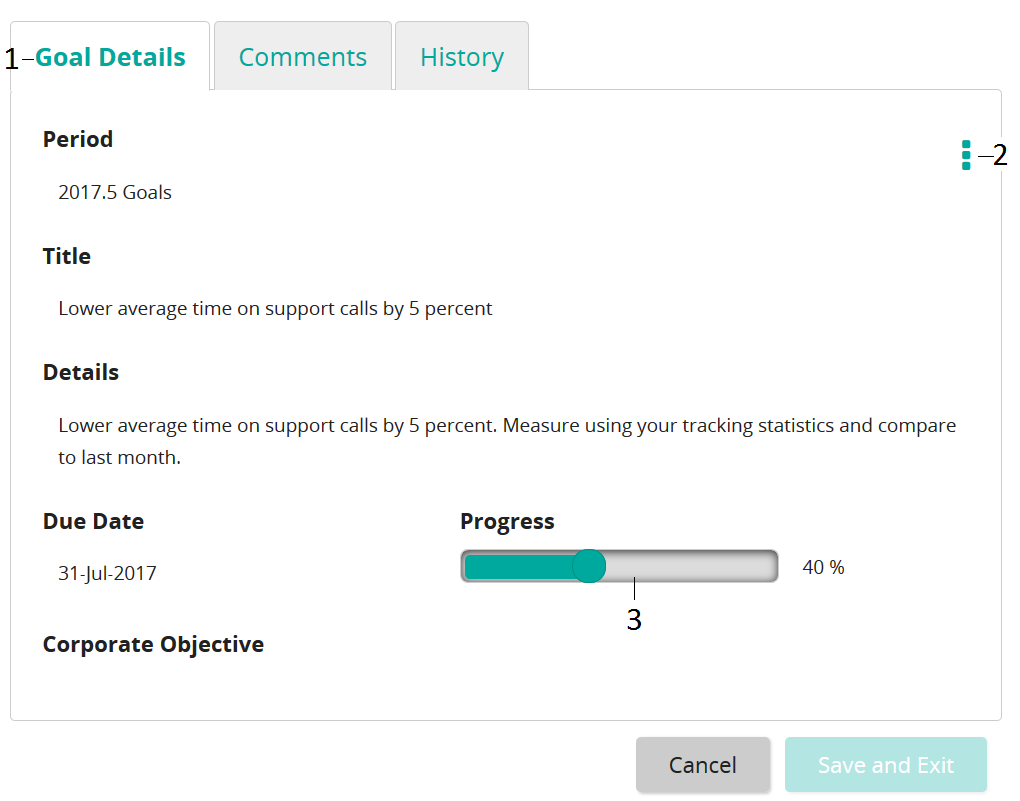
After a goal is created, you view it on the Goal Details page.
| Item | Description | |
|---|---|---|
| 1 | Tabs | Goal Details: Shows goal details. Comments: Shows any comments you and your manager entered. You can also enter comments here. History: Shows the history for this goal. It includes when it was created, submitted for approval, modified, notes entered, and so on. |
| 2 | Actions button | Edit: Opens in edit mode so you can make changes. Delete: Deletes the goal. |
| 3 | Progress bar | Shows the progress you have made on this goal. |